Course Simplification
Helping prospective students understand a degree, compare their options, and know how to apply.
90+ Course pages
Read the story Valentine Ogbeide — UX Research & Product Lead, Adelaide AU
I turn research into clear decisions and shipped products — across retirement planning, higher education, and legal technology.
10+ yrs in product design · 12+ products shipped · 5 domains
View the work[ 7 projects ]
Building the function. Shipping the work.
A UX practice built from zero, with a shared design system adopted across 12 squads.
Making pension decisions understandable.
Turning complex scheme logic into a guided pathway that shows the reasoning behind each result.
Helping prospective students understand a degree, compare their options, and find their route into study.
Discovering why students lost their way between enrolment instructions and the system they needed to use.
Testing course discovery, comparison, and a calmer reading experience against the existing website.
Following real students’ navigation paths when their behaviour challenged the simulated results.
mitimes — Automated Legal Time Capture
Turning detected calls and emails into a review feed lawyers can confirm with a swipe.
Members need understandable retirement services; squads need a shared way to design them.
The existing case describes member interviews and behavioural analysis. Original exports show household profiles and retirement guidance.
Pair product research with reusable interaction standards, so member-centred decisions can be carried across teams.
CSC was rebuilding member-facing services without an established UX function. Members needed to understand retirement choices; product teams needed shared research, interaction standards, and a repeatable way to design those services. My role combined establishing that capability with applying it to retirement experiences.
This is a practice-building case. The separate calculator case follows the member task and product decisions in more detail.
CSC was undergoing a full digital transformation, redesigning every member-facing product end to end. The organisation had decided to build a UX function for the first time. I was brought in to lead that establishment while delivering product outcomes across multiple squads simultaneously.
That meant operating at two altitudes: shipping product improvements with hard outcome targets, while building the infrastructure, standards, and organisational credibility that would make UX a strategic function rather than an execution service.
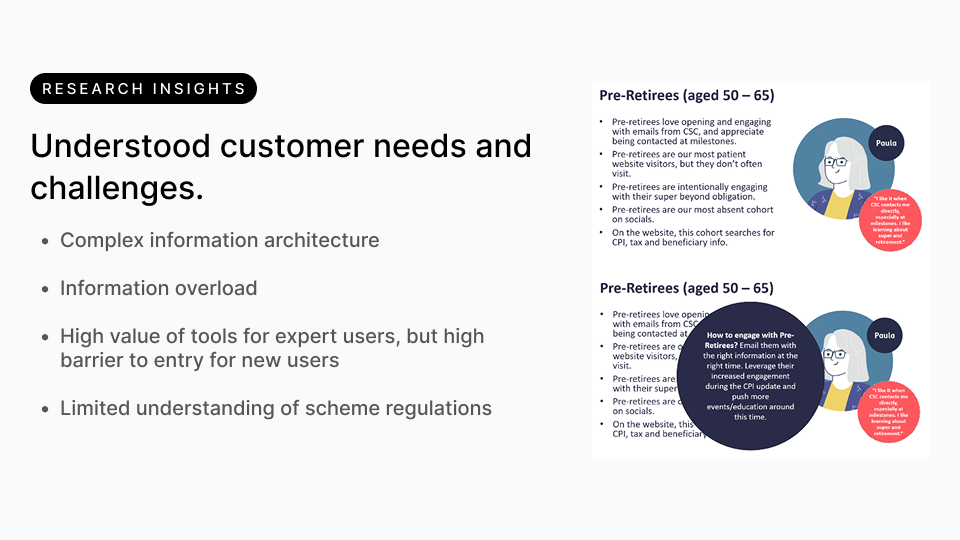
Qualitative interviews with members aged 45–65 across PSS and MSBS schemes, combined with quantitative behavioural analysis of existing tool usage. This research programme underpins both case files from this engagement — see Retirement Calculator Redesign for how it shaped that product directly.
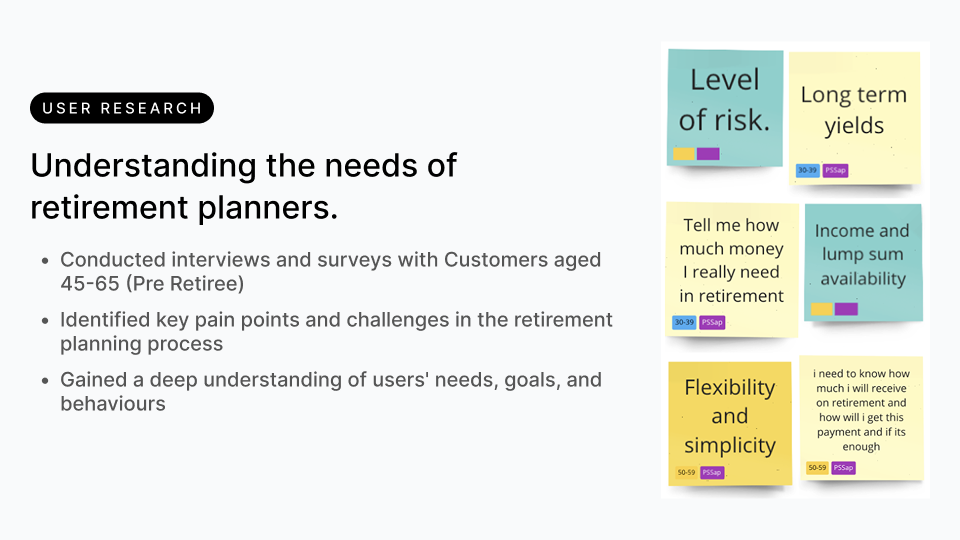
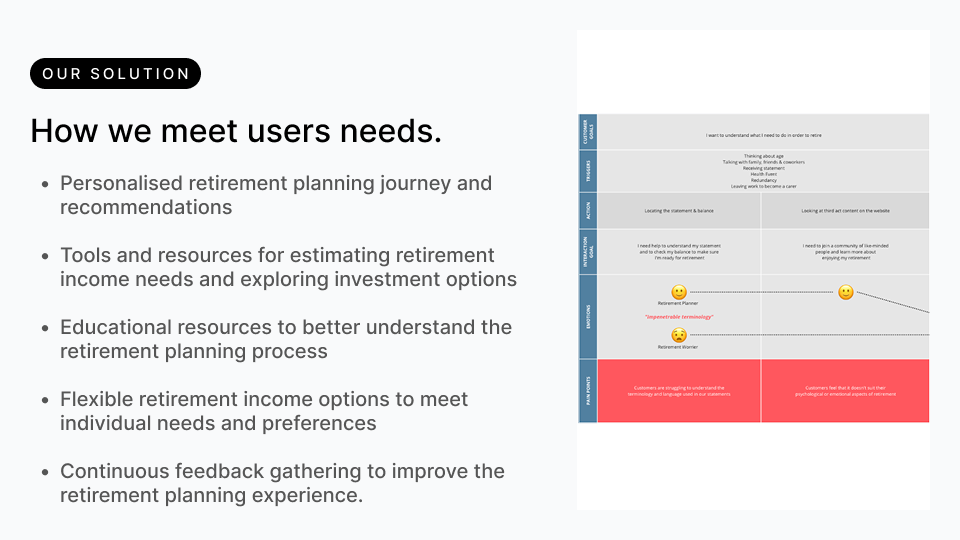
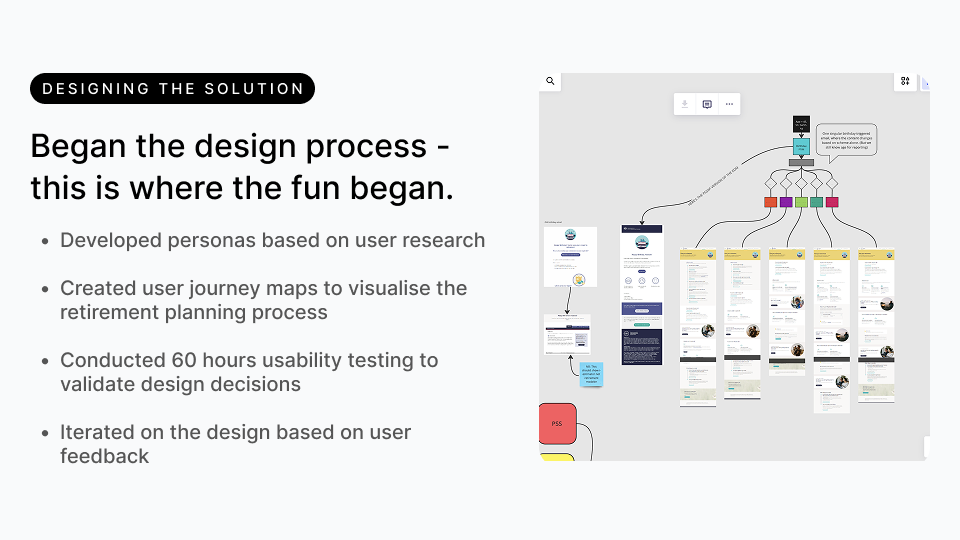
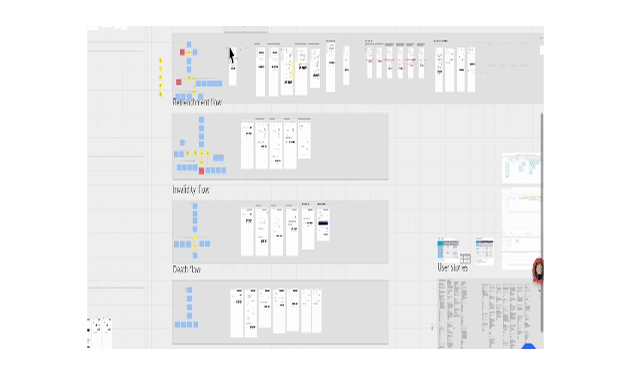
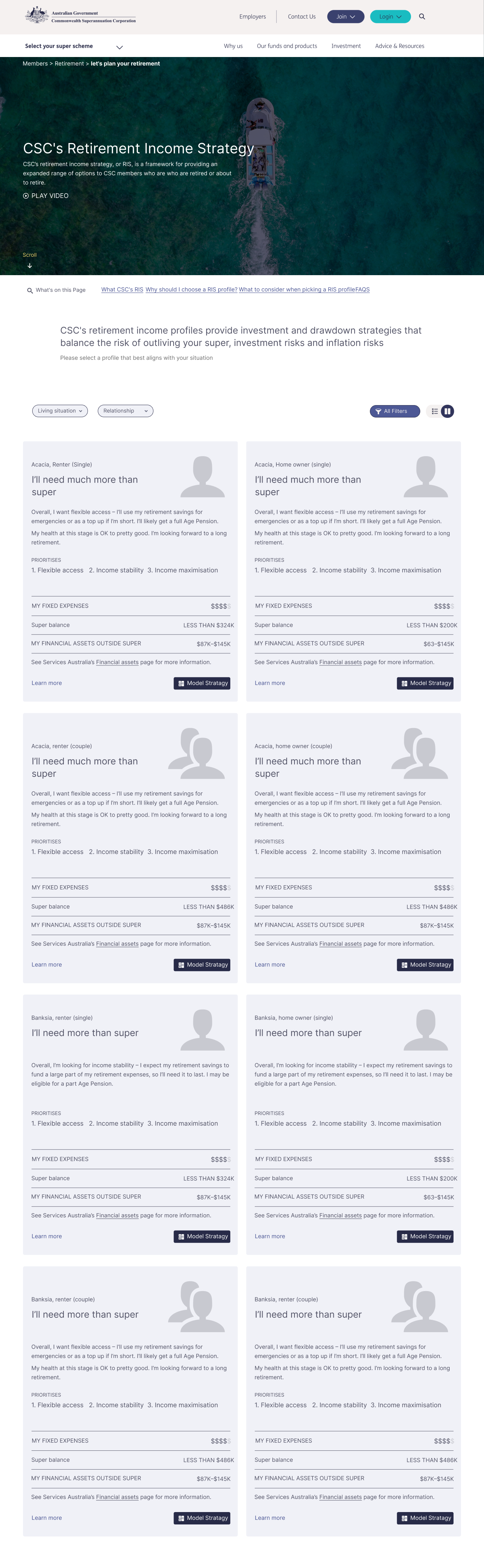
The Retirement Income Strategy experience connects household circumstances with income priorities. Members can filter profiles by living situation and relationship status, compare flexible access with income stability, and move into modelling a strategy.
RIS modeller rating of 4.1/5, design system adoption across 12 squads, and a reported 30% improvement in development velocity.
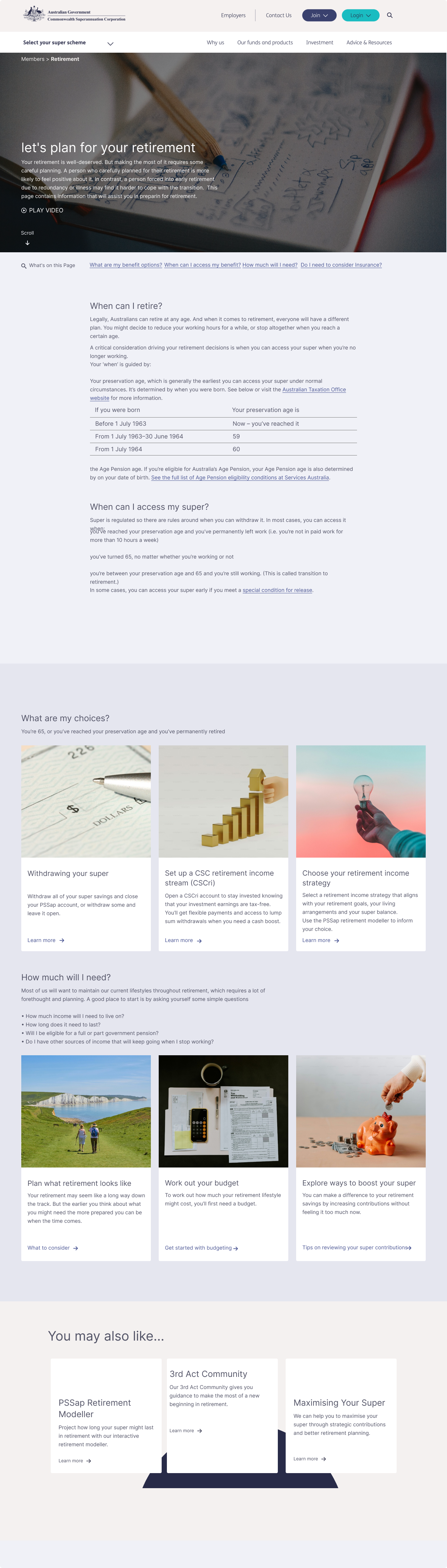
The strongest decision was the earliest: investigating the reasons for member confusion before choosing an interface response. What I would do differently: include members who had already transitioned into retirement in the research cohort. That group would have validated whether outputs mapped to real-world outcomes, not just usability satisfaction scores.
A retirement estimate can appear precise while leaving the member uncertain about what it means. Members encountered scheme choices before they had the context to judge them, including combinations that were inappropriate for their circumstances.
The design task was a valid and understandable estimate. A form that accepts an answer is not necessarily helping the member make sense of their options. That shifts the direction towards a guided starting point, explanations where choices occur, and assumptions that can be inspected alongside the result.
The decisions below follow that shift: guide relevant options, place disclosure in context, and make the calculation understandable. The legacy interface and labelled concept reconstructions make the change in hierarchy visible.
Members need to explore relevant benefit choices and understand the estimate, without first mastering scheme mechanics.
The legacy interface and existing research narrative identify unclear choices and unsuitable combinations. Later concept reconstructions illustrate the response.
Guide the starting choice, explain options in context, and expose assumptions behind the result.
A member approaching retirement needs to explore applicable benefit options and understand the resulting estimate. The existing experience asked them to interpret scheme choices before they had enough context to judge them.
CSC's retirement planning tools were built for financial experts in a domain where expertise is rare. Most members only engage seriously with their super at the point of retirement transition, often for the first time, with no framework for the decisions they needed to make.
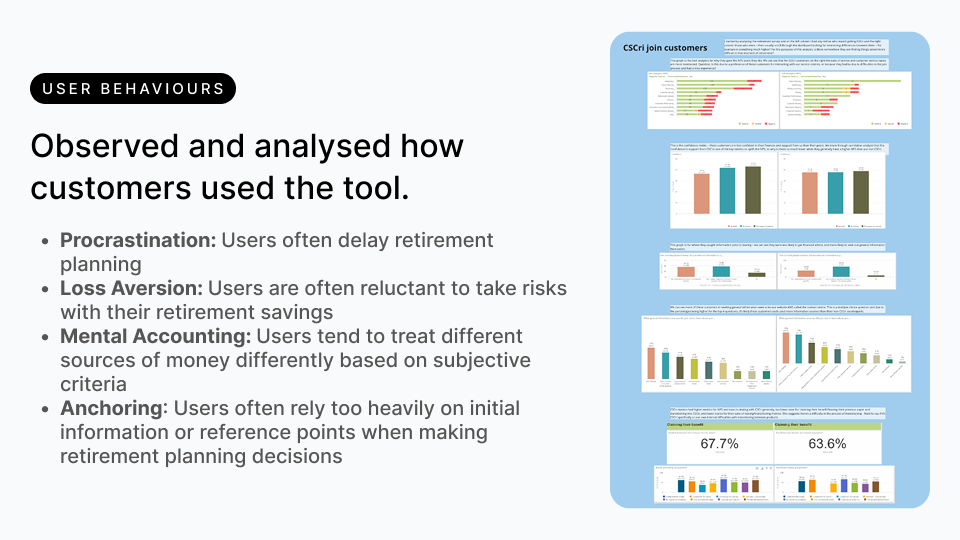
Behavioural research from the same programme — full detail in Building UX at CSC — surfaced four patterns that directly shaped the decisions below.
The legacy interface and a later concept reconstruction illustrate the change in information hierarchy. The concept screens below explain the design approach; they are not original CSC production screenshots.
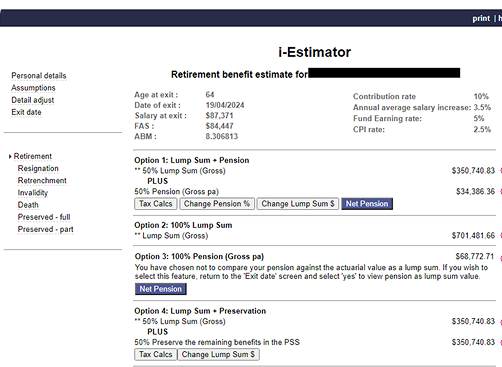
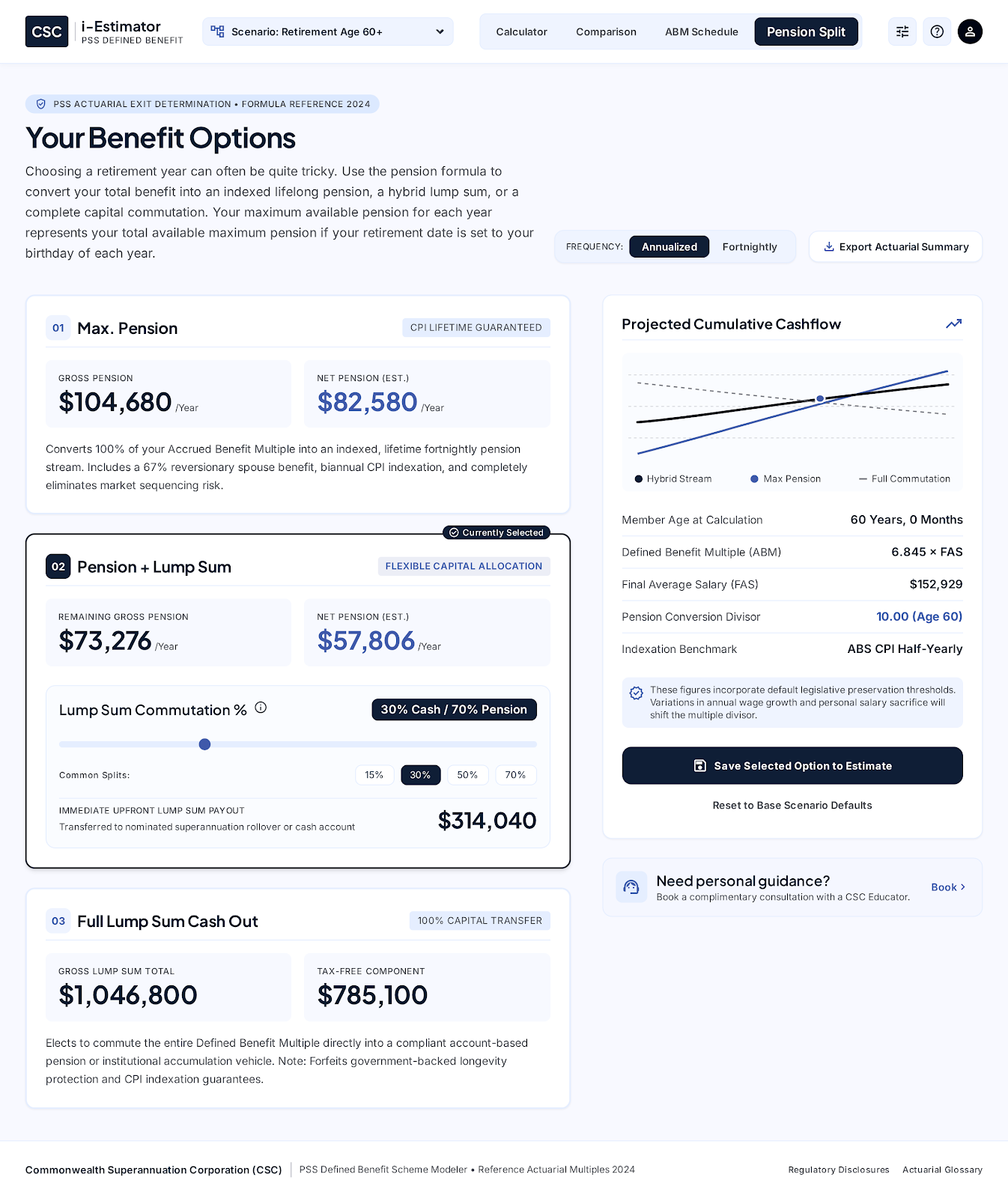
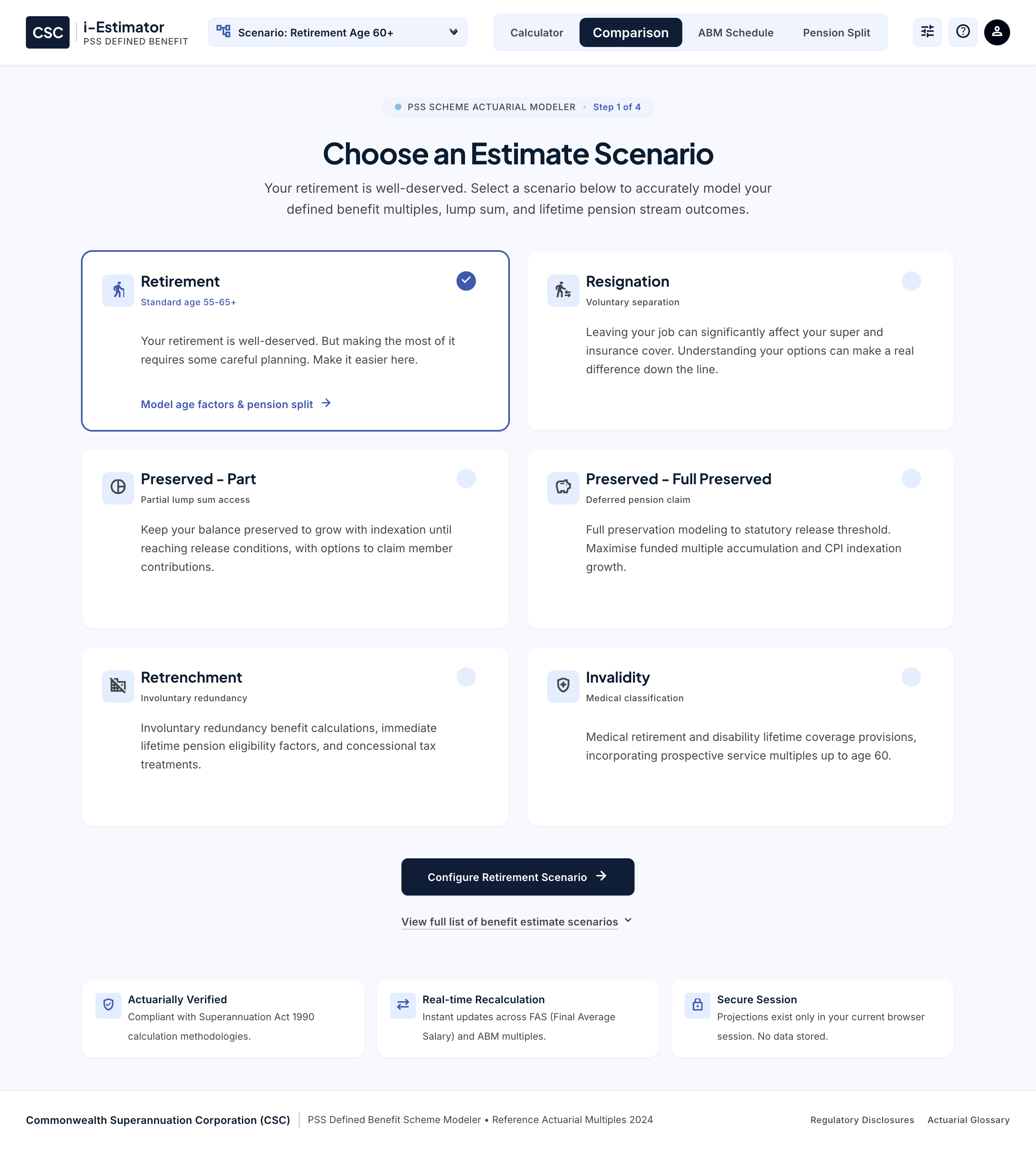
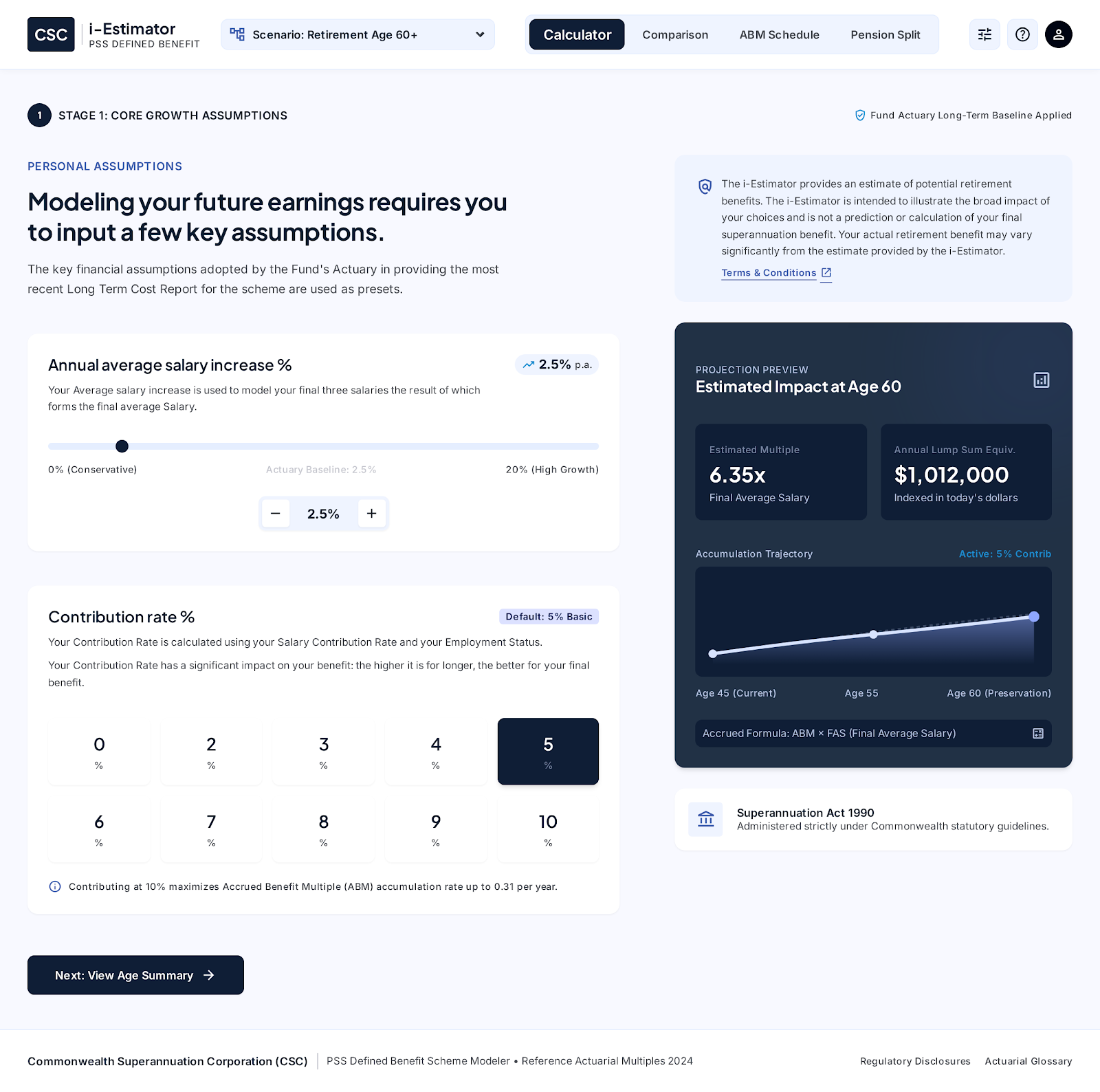
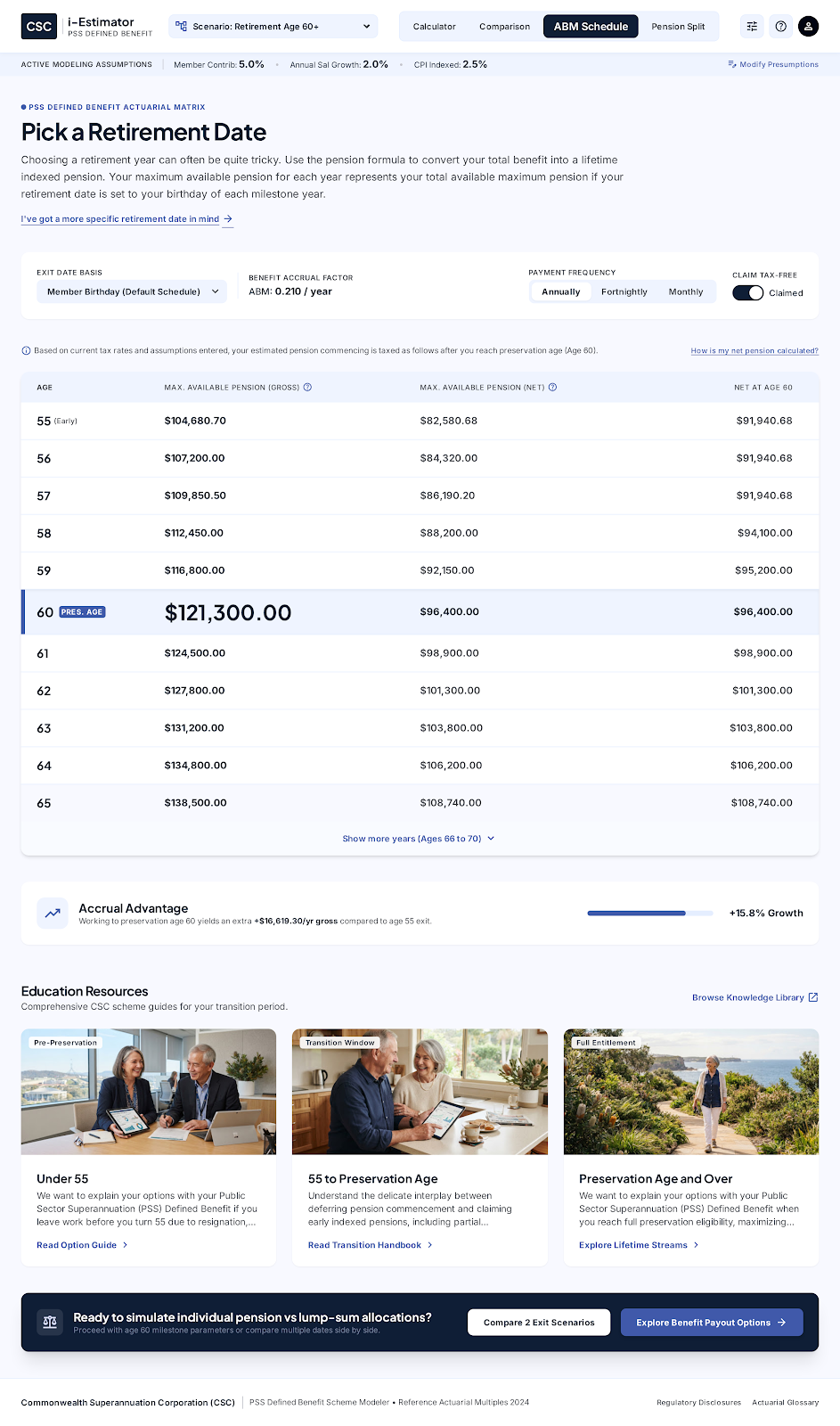
Reported project outcomes: calculator errors reduced 60% and task completion improved 45%.
Making the university easier to understand, choose, and navigate.
Choosing a course and getting into university is a series of connected decisions. My work at Flinders addresses the places where that journey breaks down — unfamiliar language, hard-to-find pathways, and guidance separated from the systems students need to use.
Each engagement below has its own problem, decisions, and evidence. Start with Course Simplification for delivered work, or Study Navigation for the research that challenged the next design direction.
Helping prospective students understand a degree, compare their options, and know how to apply.
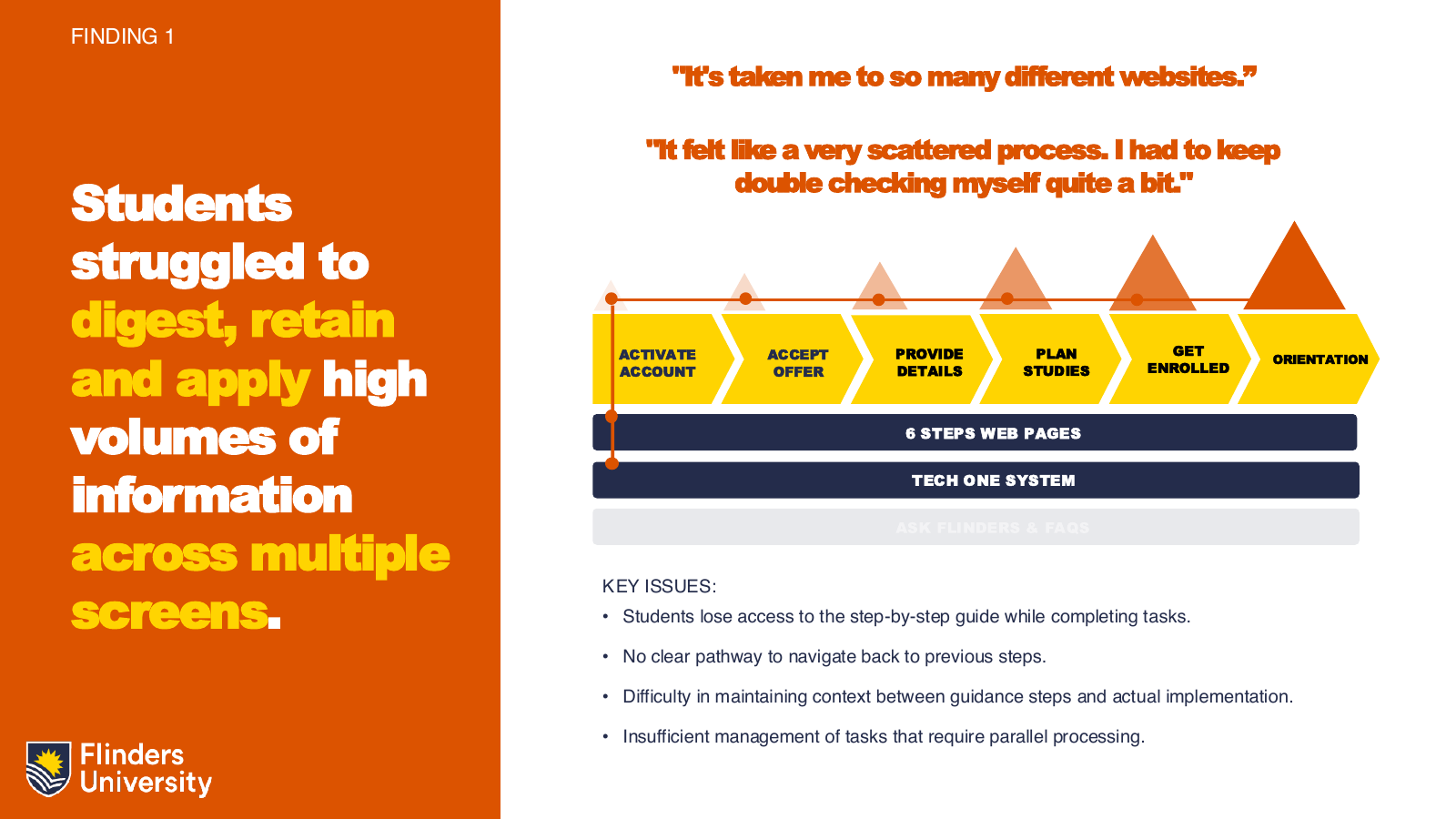
Keeping enrolment instructions alongside the system where students actually complete the task.
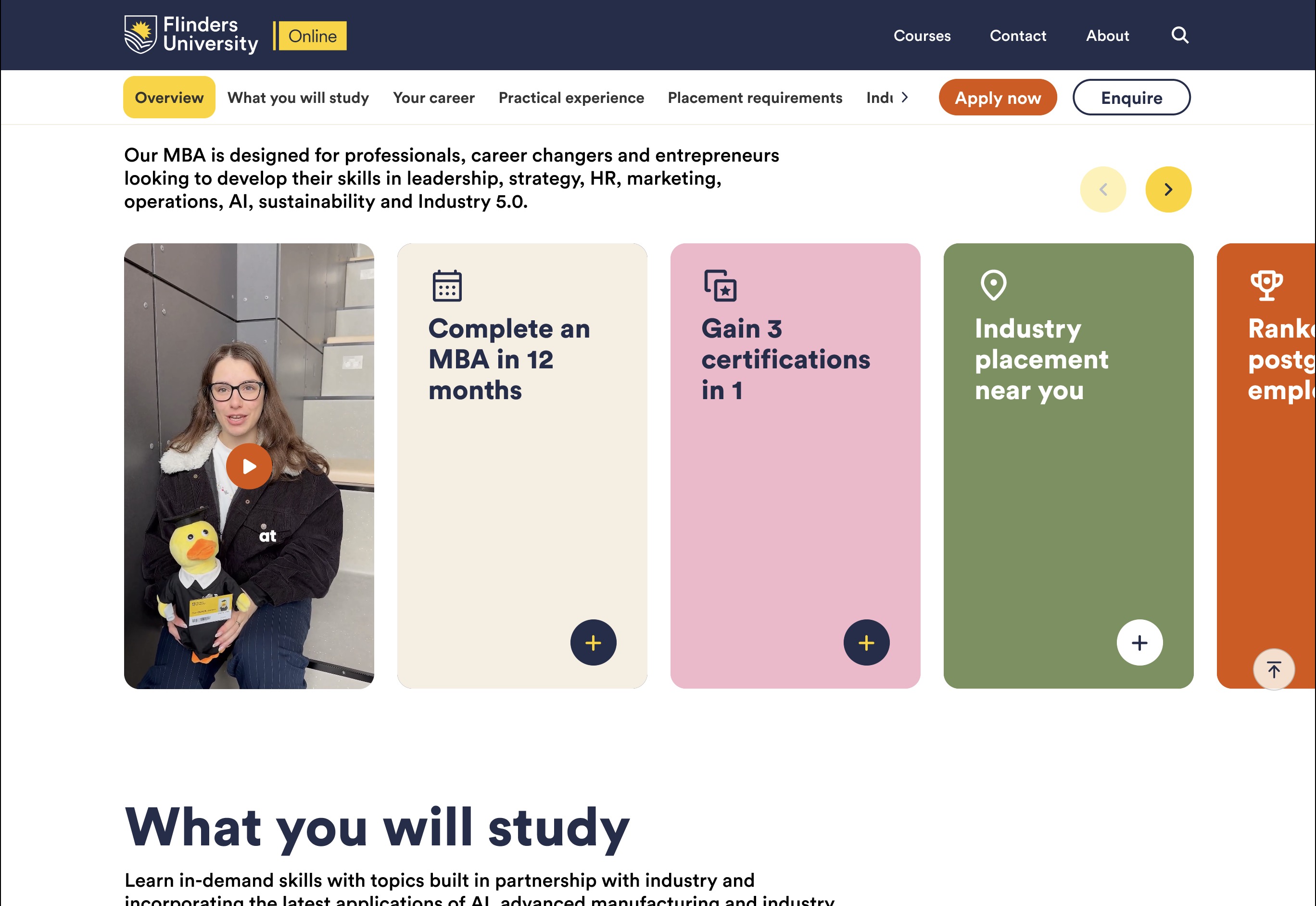
Testing a more exploratory course experience against the existing online-study website.
Following the evidence when real students navigated differently from the simulations.
Making related postgraduate programs understandable without flattening their differences.
Connecting the Business School’s promise to a program a prospective student can actually choose.
Helping prospective students choose a course with confidence.
Course Simplification addressed the course-selection journey: understanding what a degree offers, what studying it involves, and how to get in. Students faced unfamiliar terminology, dense information, and unclear routes to relevant detail. Alongside the university’s degree simplification, I investigated those barriers and used prototype testing to shape recommendations for language, content structure, and interaction.
A plan for completing an entire degree.
The meaning they already knew from school.
Name the purpose, then explain the subjects and requirements.
The university was simplifying its courses, but a simpler catalogue would not automatically make choosing a degree easier. Prospective students still had to work out what a course offered, what they would study, and how they could get in. Those decisions were being made through unfamiliar terms, dense copy, and information spread between course pages and the handbook.
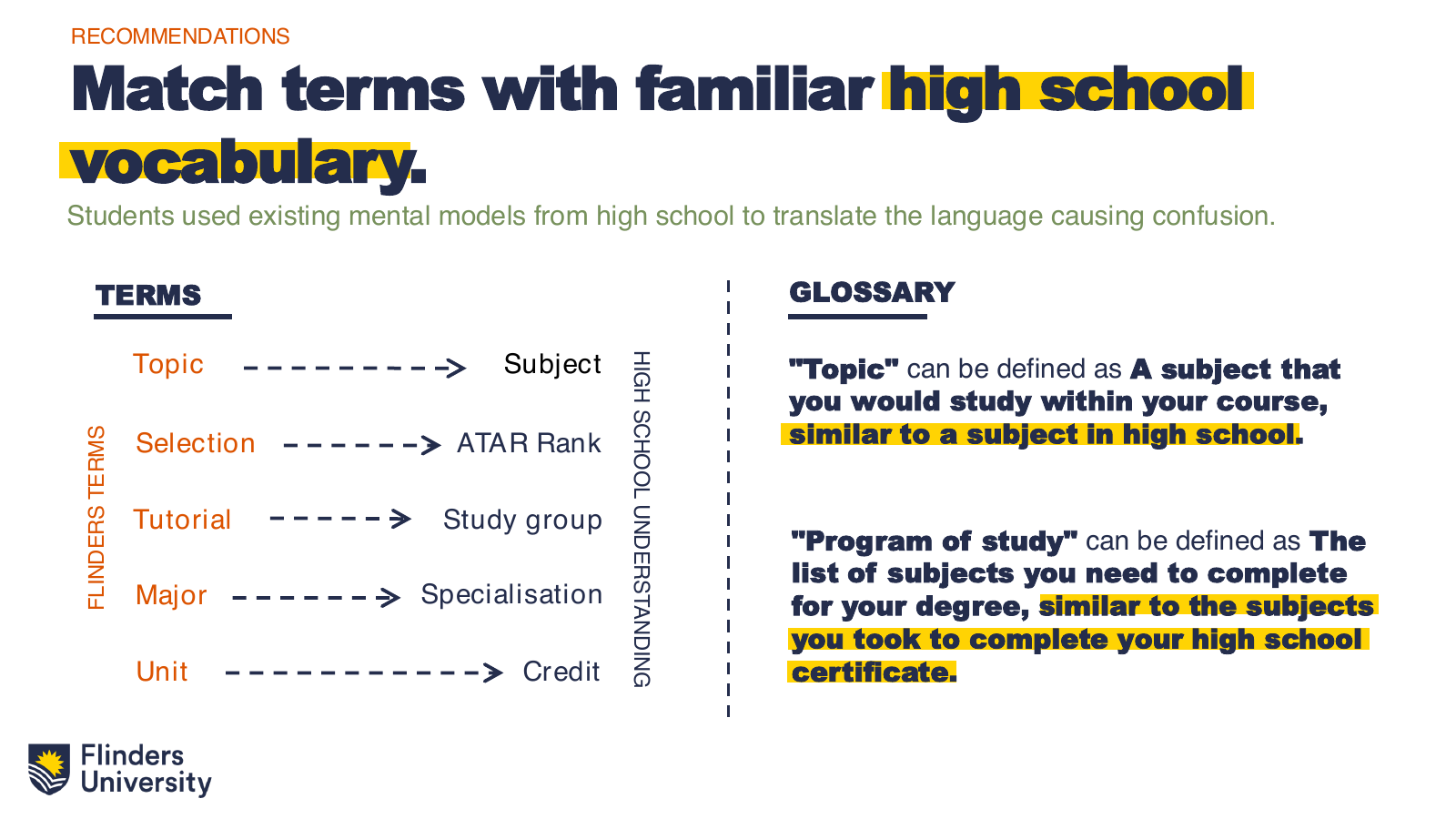
The initial question was how to make that information clearer. Research and prototype testing revealed something more specific: students were interpreting university language through meanings they already knew from school. “Study Plan” was a telling example. The university meant a plan for completing a degree; students understood a timetable. Shortening the copy would leave that misunderstanding intact.
That finding shaped three connected responses. Language needed to start from familiar concepts. The page needed to bring the degree’s outcomes and structure into view. Interactions needed to help students find detail relevant to their circumstances without losing their place. The Health Sciences editing sequence illustrates that judgment: remove repetition, then bring the career and further-study outcome forward.
The team translated the direction into iterative AEM work and a course-page rollout across six Colleges. Delivery was a stage in the process, not its endpoint. The review reported better comprehension and feedback about clearer study information and pathways, while identifying further work on terminology, audience controls, fees, navigation, and readability.
A prospective student needs to understand the degree’s value, make sense of subjects and specialisations, and identify an entry route that fits their circumstances. The research showed that institutional language and page organisation were getting in the way of those decisions.
The examples below distinguish research recommendations, illustrative interactions, the delivered template, and findings from the subsequent review. The project’s reported comprehension improvement does not establish that students ultimately chose a more suitable degree.
The brief had three connected goals: make course language accessible, align the website with the new course and specialisation structure, and improve the journey from discovery to application. A shorter page alone would not solve the problem if students still misunderstood its terms or could not find the information that mattered.
This was a team effort across Product Marketing, Web, Brand, and the Colleges. My contribution as Senior UX Designer centred on research, hypotheses, prototype evaluation, and the recommendations that connected content decisions to the interface. The web and content teams carried the work into AEM and the course-page rollout.
The initial insights identified unfamiliar language, inconsistent information, dense text, and unclear navigation. Students were not simply asking for less content. They needed help finding the right content and interpreting it in the context of a degree decision.
Terms and acronyms introduced concepts students had not encountered before.
Important information was buried in long, repetitive text.
Students left the page for definitions and handbook detail, losing their place.
The team developed hypotheses and prototypes by changing text volume and specificity, replacing jargon, reorganising content, and exploring filtering and interaction. The recommendations report records testing with 15 Glenunga High School students, over four hours, across five touchpoints and versions on two device types.
Testing validated parts of the direction, but revealed a deeper issue: students brought existing mental models from school. They also wanted more visual explanation and more control over their own browsing. Those findings changed the recommendations from a copy-editing exercise into a combined content and interaction approach.
Use familiar language and a consistent vocabulary.
Place explanations and decision information where they are needed.
Let students scan, explore, and reveal relevant detail.
“Study Plan” exposed the mismatch. At university, it meant the requirements and sequence for completing a degree. At school, it meant a short-term timetable. The recommendation was to use a name such as “Degree Planner” and explain new concepts by connecting them to familiar ones.
Current students should refer to FLO for detailed assessment information.
Current students should refer to Flinders Learning Online (FLO) for detailed assessment information.
Consistency mattered as much as definition. The recommendations also called out competing labels for selection rank and study modes. One concept needs a predictable name across the journey, rather than a new label on each page.
The Health Sciences example shows the actual editing work. The original paragraph repeated “health,” used several phrases for the same idea, and delayed the career and postgraduate outcomes. The proposed edit removed repetition; a subsequent version led with what the student could do next.
Gain an excellent grounding in all aspects of the health sector. In your Health Sciences degree, you will develop the ability to critically approach new challenges in contemporary healthcare and be equipped to enter the workforce in a variety of health-related sectors or pursue postgraduate studies in a health-related discipline.
Gain an excellent grounding in health. Develop the ability to approach new challenges in healthcare and be equipped to enter the workforce or pursue postgraduate studies in health.
Be equipped to enter the workforce or pursue postgraduate studies in health by gaining an excellent grounding in health and developing the ability to approach new challenges in healthcare.
This was not just a word-count target. The recommendations also explored a friendlier tone, clearer titles, active phrasing, and smaller chunks of high-value information. The purpose was to help students grasp the point before deciding whether to read further.
Students left the page to understand terms and consult the handbook. The proposed response combined section navigation, definitions in context, and program-of-study information within the course experience. It reduced the need to navigate away just to interpret a decision.
Subjects you choose within the requirements of your degree.
An accessible illustration of the recommended in-context definition pattern. This is a case-study demonstration, not a captured production component.
Keep degree requirements and subject detail together.
The source also recommends sticky section navigation that shows the current section and provides shortcuts. Different accordion treatments were proposed for different content purposes, so repeated-looking controls would not cause students to assume they had already read something.
Students wanted access to the information, but found it overwhelming when everything arrived at once. Tabs and filtering could narrow the content to their situation; progressive disclosure could preview a section before revealing its detail.
A short overview introduces the degree requirements without displaying every topic at once.
Demonstration of the documented pattern; labels describe the content model rather than a specific course.
Comparison was another part of that control. The recommendation was to let students view courses or specialisations side by side, with search and filtering and a consistent set of key facts. The reference screenshots in the deck illustrate those patterns; they are not Flinders production screens.
The work moved from research and prototypes into a shared course-page template and AEM components, including Fast Facts. The Course Simplification Review records more than 90 pages built across six Colleges, with stakeholders helping ensure information accuracy.
The rollout recommendations focused on clear ownership: agree requirements with each College, supply a content template, designate a reviewer, coordinate Web and Brand, and review academic accuracy before publication. More complex courses required further research and adaptation. This governance explains how the work could scale without turning the case study into a project schedule.
The January 2024 archive contains the original Health Sciences paragraph used in the research’s editing example. Comparing it with the page inspected in October 2026 makes the difference visible: a clearer introduction, more explicit career content, and a more detailed degree structure. This compares two observed versions of one course; it does not date every change to the project’s launch.
A long opening paragraph describes grounding in the health sector, work, and postgraduate study.
An approachable career question introduces the degree, followed by specific job roles and supporting information.
First-, second-, and third-year summaries lead to a long set of external study-program links.
Year tabs and expandable specialisation, major, and minor details put more of the program structure on the page. Handbook links remain for authoritative detail.
Selection and guaranteed ranks, TAFElink, a SATAC code, and a four-step application route.
Entry information groups guaranteed ATAR, STAT, GPA, TAFE/VET, and named pathways. The application section uses an education-and-experience selector to show relevant pathways, followed by campus-specific SATAC links.
English-language requirements, CRICOS, country-entry information, and six application steps including documents.
English-language and country-entry links remain prominent. Application options include direct application, agent support, and contact; preparatory pathways are retained.
Domestic and international Fast Facts and application content already existed. Audience separation was not a new invention.
A visible audience toggle changes key facts and section destinations. The international section navigation also adds Scholarships.
The fee years, campus names, and qualification structure also differ between the captures. Those are course and policy changes as well as content changes, so they are not used here as evidence of a UX improvement.
Open the January 2024 capture ↗Open the current course page ↗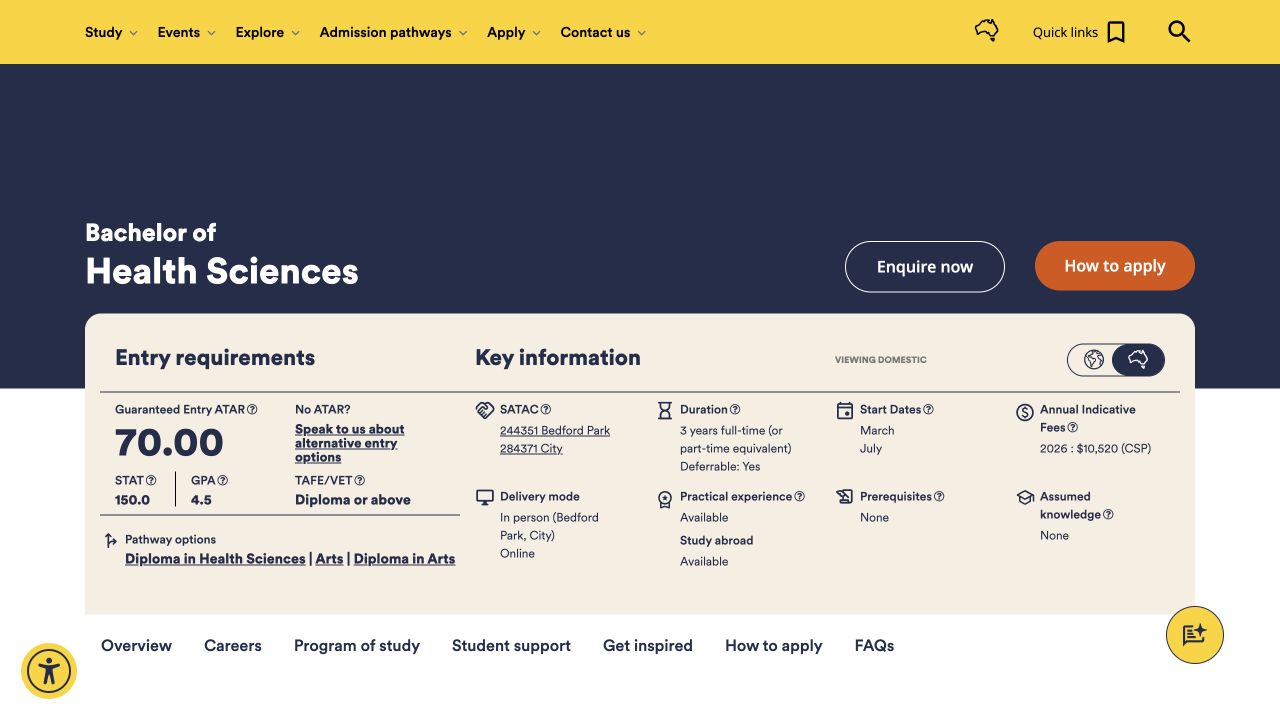
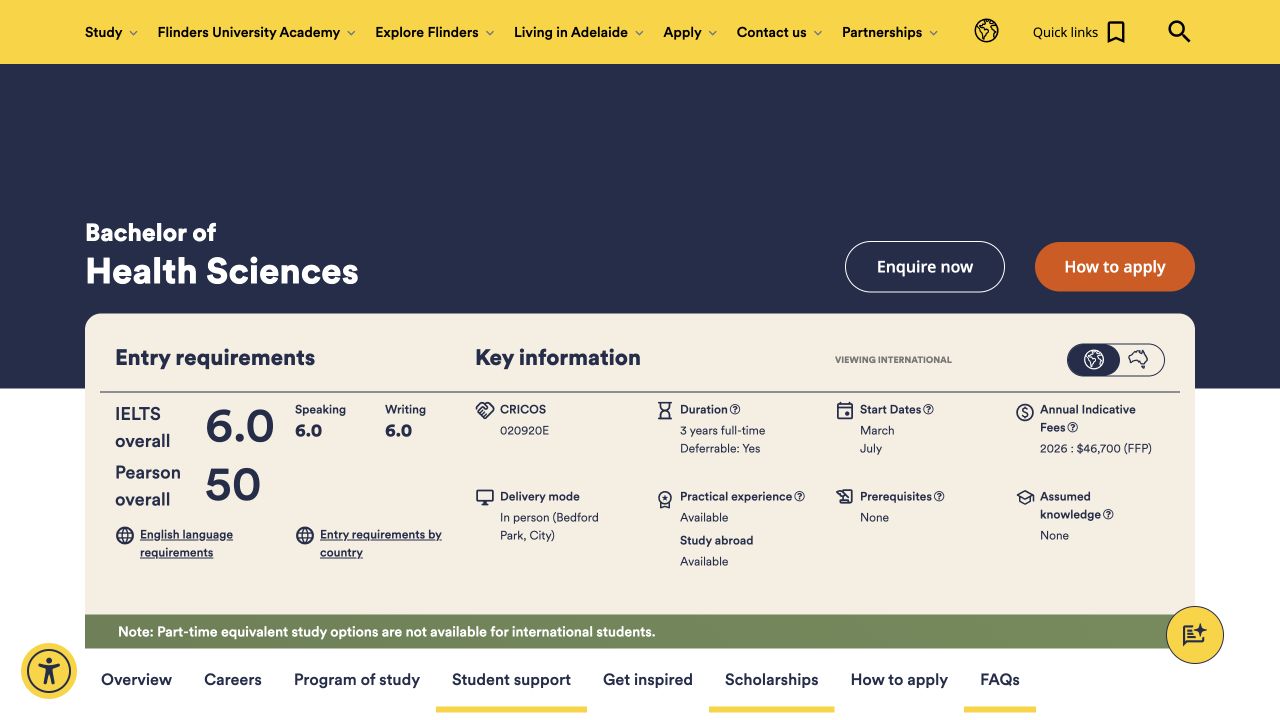
The shared story explains careers and study. Domestic applicants need local entry routes and SATAC; international applicants need English-language and country-entry guidance, international fees, and application support. The design challenge is making that change of context visible and carrying it through to the correct action.
The project review reports comprehension ratings increasing from 3.0/5 to 4.3/5. It describes that as a 43% improvement and includes positive feedback about clearer topics, majors, pathways, and study journeys.
Comprehension rating
Course pages across six Colleges
Engagement rate; site average 60.7%
The same review reports sessions up 15.2% and page views up 24.3% year on year. Those traffic measures provide context, but do not isolate the design’s effect. The follow-up findings still identified unclear jargon, subtle personalisation triggers, navigation visibility, and readability issues. The result was a stronger foundation with specific work left to do.
The delivery review records how the rolled-out course experience performed and what domestic and international students still found difficult. The project followed a continuous-improvement delivery model: research informed the design direction, the team delivered and reviewed the experience, and the remaining findings informed the next priorities.
Within that continuous-improvement model, the next priorities were clearer audience switching, more visible actions, improved Fast Facts, contextual explanations, and accessibility review. The evidence points to a more understandable course experience with further work required—not proof that every student could confidently compare and choose the right course.
The central lesson was that students’ confusion did not belong to one layer of the interface. A familiar label could still fail if its explanation appeared elsewhere; a useful fact could still be missed if buried in text; complete information could still overwhelm without control. The project connected what the page says, where it says it, and how students explore it.
The examples above are re-presented from the supplied recommendations. They preserve the distinction between proposals, reference patterns, and reported delivery outcomes.
Read the original recommendations ↗Read the project review ↗Keeping enrolment instructions alongside the system where students actually complete the task.
A new student needs to complete enrolment and class registration while understanding unfamiliar systems and prerequisites.
Testing, interviews, and co-design with 24 participants exposed guidance separated from Tech One, repeated checking, and hidden requirements.
Keep help beside the task, disclose dependencies earlier, and make progress and support visible.
The university’s six-step guidance described enrolment, but completing it meant moving between those pages and Tech One. Students lost instructions, switched tabs, and could not tell whether they had made progress. The research question was whether the guidance actually enabled students to complete the system’s required tasks.
Usability testing, interviews, and a co-design workshop covered the journey from SATAC offer to class registration. The original report records 18 Trinity High School students, four current students, and two Year 12 students. The recurring issue was the mismatch between what the guidance said, what students understood, and what the system required.
“It felt like a very scattered process. I had to keep double checking myself quite a bit.”
Simply adding more text to the six steps would leave students doing the same tab-switching. The recommendations brought help closer to the task and reduced the number of new concepts introduced together.
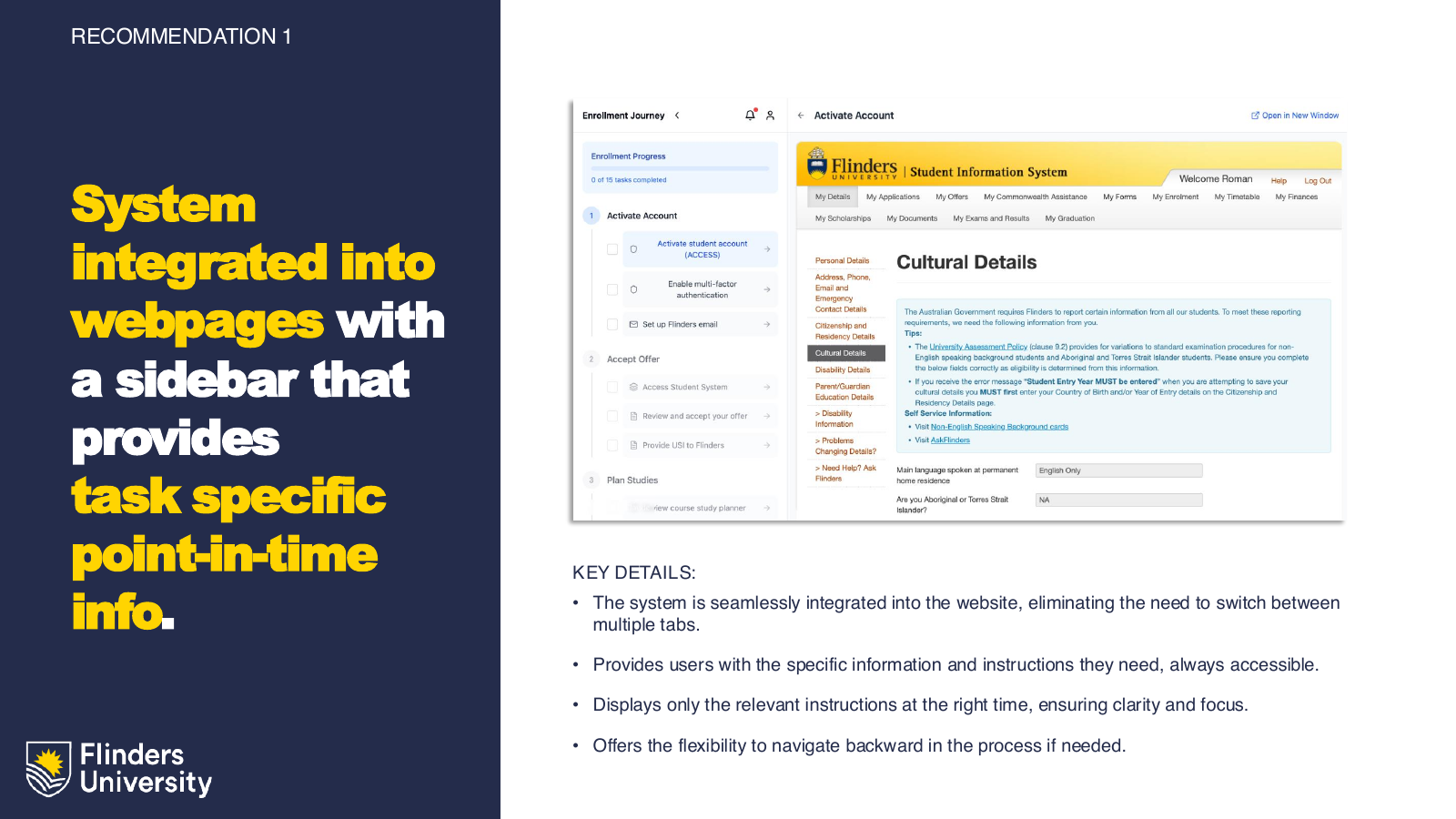
The research roadmap sequenced language and content, guidance and support, sessions and notifications, and integration around CI Anywhere. The onboarding work was subsequently delivered. The research report captures the findings and recommendations that shaped that work.
Students experienced a single enrolment task even when university teams owned different parts of it. The research made the handoff between content and system a design responsibility. That is the central story of this engagement.
The artifacts below support this case study.
Read the original findings and recommendations ↗Testing a more exploratory course experience against the existing online-study website.
Prospective students need to find relevant online courses, compare them, and picture the study experience.
Thirteen participants compared the existing site and Blue-Sky Prototype. Feedback favoured clearer navigation, scanning, filtering, and comparison.
Retain navigation on long pages, put options side by side, and reduce visual and content density.
The existing Flinders Online site supported core tasks, but testing exposed weak visual inspiration, dense text, small type, missing search and filtering, and difficult colour combinations. The challenge was to discover which interactions helped students explore courses without making the interface harder to read.
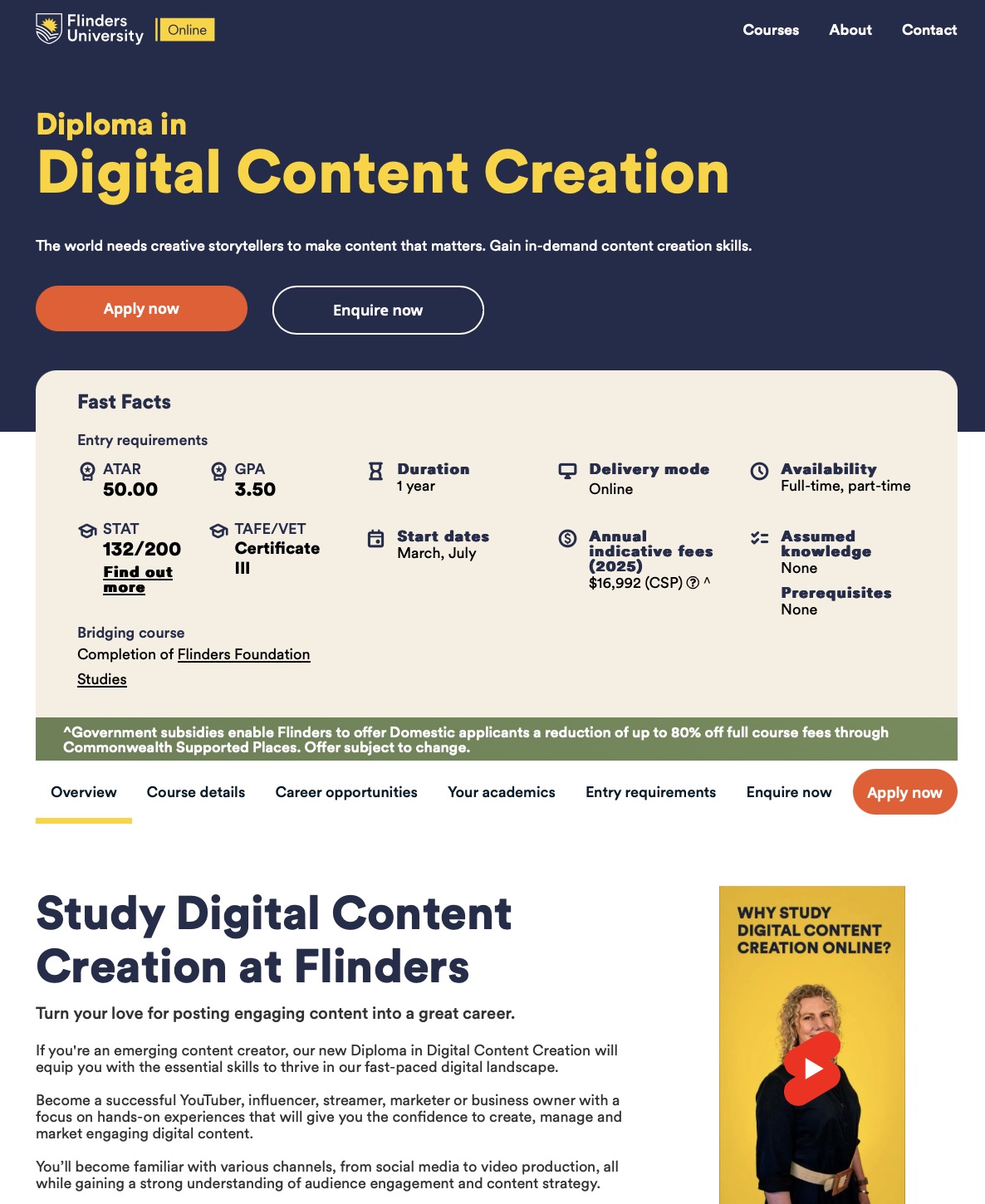
The original insights deck records six school-leaver-age students, four postgraduate or mature-age students, and three international students. They tested the current site and an exploratory Blue-Sky Prototype across two device types. This gave the team a practical comparison of navigation, content, and course discovery.
The preferred patterns were useful because they reduced the effort of comparing options and finding relevant detail.
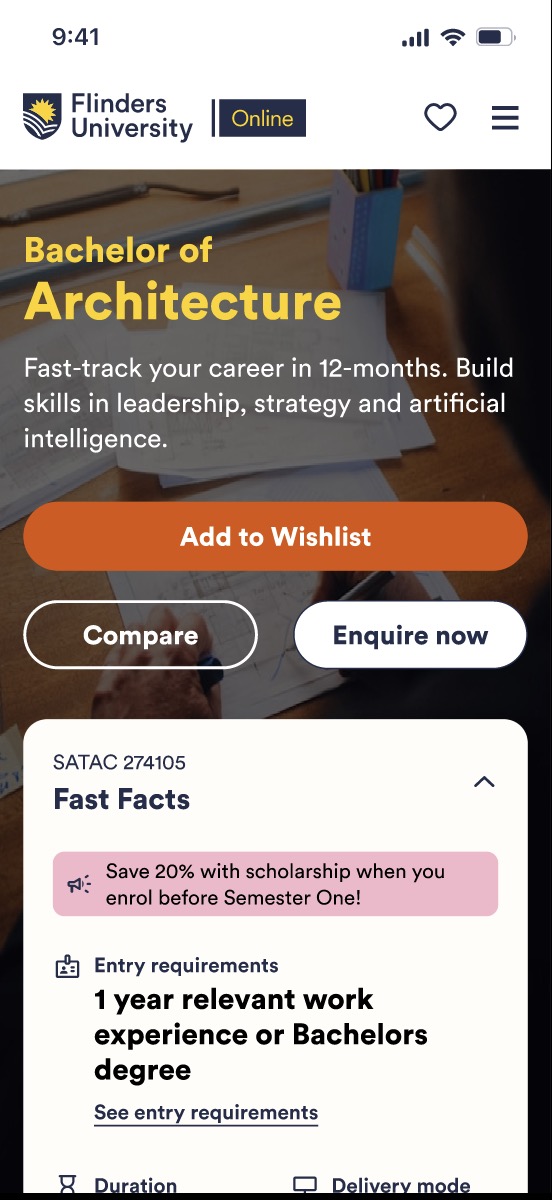
The insights deck reports an overall preference for the cleaner, more interactive prototype. It also records requests for a clearer sense of student life. The findings informed a two-phase component plan: establish the page foundation first, then add deeper course discovery and comparison. The deck does not establish a measured conversion uplift.
Visual appeal mattered, but the useful changes also solved concrete problems: staying oriented, reducing tab-switching, and seeing the important facts sooner. Those are the reasons to retain an interaction as the design moves toward implementation.
The artifacts below support this case study.
Read the comparative testing insights ↗Following the evidence when real students navigated differently from the simulations.
Students need fees, entry routes, course options, or post-offer guidance without knowing the university’s internal structure.
Real-user path analysis challenged predictive tests: recognising Study did not ensure reaching the correct destination. Export limitations remain explicit below.
Use task-oriented labels, give reference content a clear home, and cross-link it from relevant audience routes.
Fees, entry pathways, career exploration, and post-offer actions crossed several branches of the proposed architecture. The baseline postgraduate analysis showed backtracking and weak agreement on destinations. A later undergraduate test exposed scattered paths even when participants recognised the Study entry point.
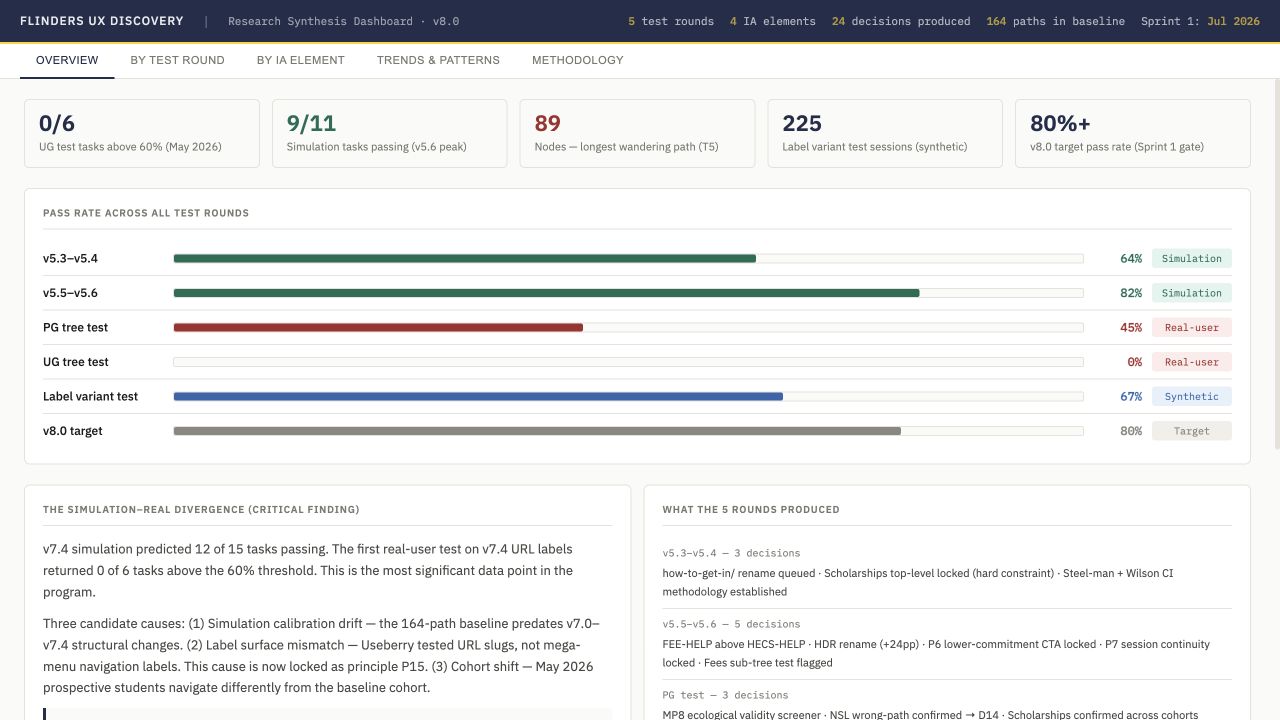
The postgraduate baseline contains 31 sessions and 164 paths. The May 2026 undergraduate analysis contains 51 sessions, with 34 complete sessions. It reports 88% first-clicking Study for course exploration while final destinations scatter across more than 20 nodes. The task estimates are inferred from path endpoints because the export lacks correct-answer flags.
The synthesis dashboard records a divergence: v7.4 simulation predicted 12 of 15 passing tasks, while the real-user URL-label test returned no scoreable tasks above its 60% threshold. That changed the design question from “does this hierarchy look complete?” to “do the labels and routes match how people seek an answer?”
The local architecture documents show a progression toward named entry routes, clear reference pages, audience callouts, and explicit cross-links.
The research produced a documented architecture and wireframe briefs, alongside specific retest flags. The synthesis names an 80%+ target for the next gate; that is a target, not an achieved result. The strongest contribution is the visible trail from observed navigation problems to the revisions and remaining validation work.
The artifacts below support this case study.
Explore the research synthesis ↗Explore the postgraduate baseline ↗Explore the annotated sitemap ↗Making related postgraduate programs understandable without flattening their differences.
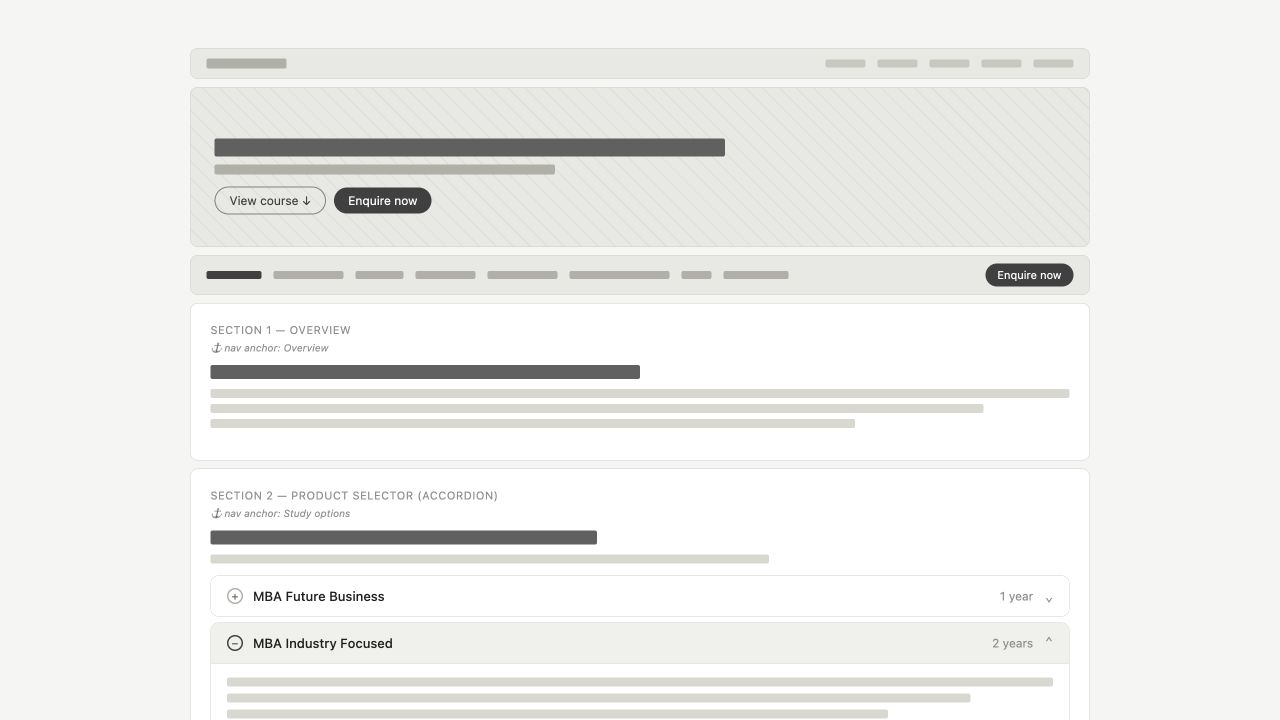
An MBA is not one interchangeable product. The wireframes contain different durations, specialisations, and routes. The design starts with a student trying to decide which of those options fits their circumstances.
The study option becomes the organising decision. Instead of asking someone to absorb every program detail together, the selector lets them inspect a relevant route, with career context nearby and a predictable structure for deeper information.
The template family carries that structure into different postgraduate decisions, while preserving the content that makes each qualification distinct.
A prospective postgraduate student needs to distinguish duration, specialisation, entry requirements, and career direction.
The MBA and template artifacts expose different program groups and content requirements. They demonstrate the design response, not observed user success.
Let the study option organise the detail, with career context nearby and a consistent page rhythm.
Prospective students need to compare program length, specialisation, entry requirements, delivery, and career direction. The postgraduate assets explore how certificates, diplomas, masters, and research pathways can share a coherent experience while retaining the detail that changes a student’s decision.
The MBA v5 wireframe places a program selector after the overview, with Future Business, Industry Focused, specialisations, and a PhD–MBA route. Career outcomes follow the selector, then evidence about the university, industry, students, academics, fees, and application.
The masters template introduces the qualification level, audience, and key facts before the detailed content. This is postgraduate exploration, distinct from the delivered course simplification work.

The local assets include separate graduate certificate/diploma, masters, and research templates. Honours explorations add eligibility, project discovery, and supervisor connection. These are design artifacts and proposed experiences; they are not evidence of launched services or realised recruitment outcomes.
Explore certificate and diploma template ↗Explore masters template ↗Explore research template ↗Explore the honours hub ↗The wireframes make the content order, program differences, and conversion points reviewable. The next evidence needed is whether prospective students can select the right route and explain why it fits their situation. No performance uplift is claimed for these prototypes.
The artifacts below support this case study.
View the original MBA wireframe ↗View the postgraduate template collection ↗View the honours implementation proposal ↗Connecting the Business School’s promise to a program a prospective student can actually choose.
A campaign can generate interest without helping a visitor choose a qualification. The prototype begins at that handoff: someone is interested in business study, but needs a relevant way into the catalogue.
The version history shows a change from discipline-led cards to study-level browsing with expandable program detail. The later design lets visitors narrow their options by level before opening further program differences.
Industry information, student stories, and next-step actions support that exploration. The campaign and catalogue form one experience, carrying initial interest towards a concrete study option.
Visitors need a useful study route after arriving through a campaign, event, or general interest in business.
Versions v2 and v7.13 show a shift from discipline cards to level-based program discovery and expandable detail.
Connect the campaign to course exploration, group options by study level, and put supporting evidence around the choice.
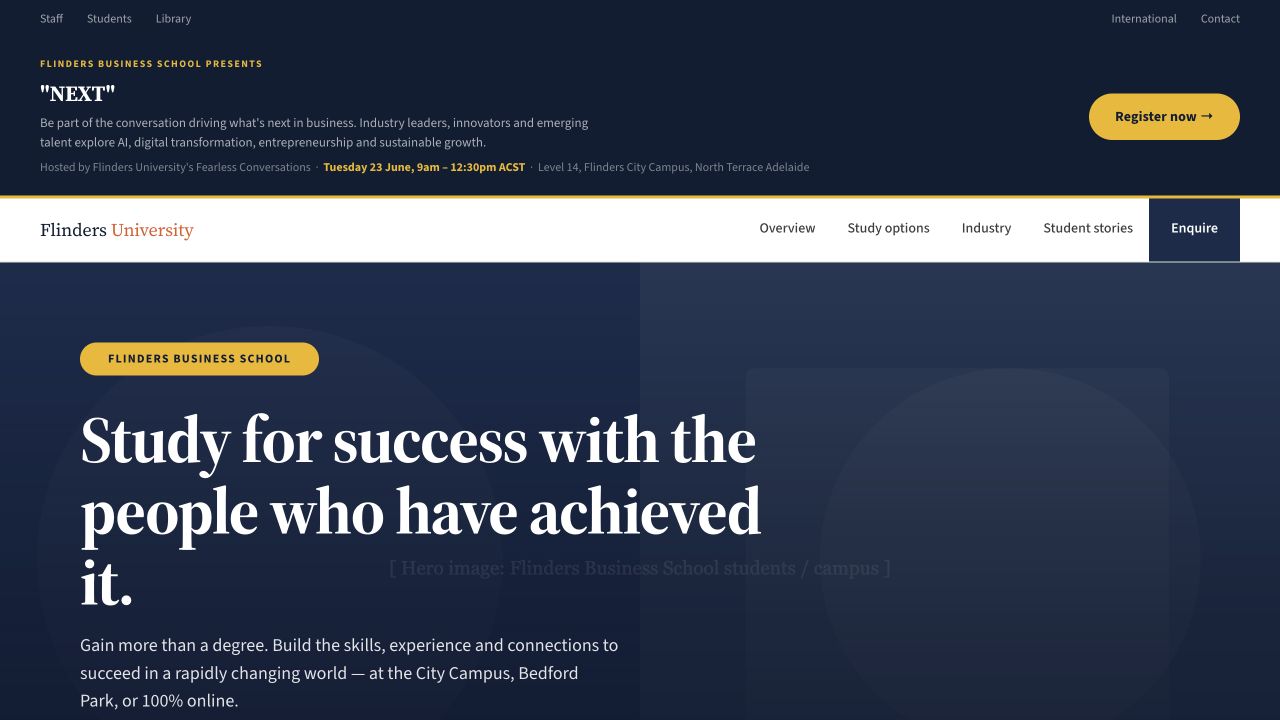
A strong headline about business success does not answer which qualification to take. The Business School assets explore a landing experience that combines the campaign, program discovery, industry connections, student stories, and an enquiry route.
The local files trace the prototype from v2 through v7.13. The later experience combines an event announcement, a campaign hero, section navigation, program browsing, industry evidence, academics, events, and student stories. Earlier versions make those changes inspectable rather than hiding the design evolution.
Explore an early version ↗Explore the later prototype ↗The page has to support students entering with different levels of intent.
The artifact demonstrates the page hierarchy and discovery interactions. It contains placeholder imagery and sample material, so it should be read as a design prototype rather than a published catalogue. There is no conversion result in the supplied assets to claim for this page.
The useful measure for the next test is whether visitors find an appropriate program and understand the action to take. The iteration makes that journey concrete enough to evaluate instead of stopping at a visually appealing campaign header.
The artifacts below support this case study.
Open the Business School prototype ↗Compare the early version ↗Marketing, product, and content teams need to challenge early assumptions while participant recruitment is still underway.
The existing case describes interviews across six cohorts and a source-based synthesis pipeline. Displayed interface concepts are reconstructions.
Ground cohort hypotheses in interview material, preserve source traceability, and require real-user validation for decisions.
Teams across marketing, product, and content were waiting weeks for participant recruitment before they could test ideas. Teams facing launch deadlines shipped without testing. Assumptions went unvalidated. When research did happen, it was often too late to change the direction it surfaced.
Conducted 60+ real participant interviews across six distinct student cohorts before building anything. Each cohort mapped across pathway logic, content needs, support requirements, and decision triggers. This data became the foundation the synthetic personas were built from. Not a set of assumptions, but a structured distillation of real interview evidence.


The pipeline runs in four stages: structured interviews in, transcript and behavioural-pattern analysis, a synthesised persona with sourced traits, and a queryable persona teams can interrogate before running real-user testing. The screens below are concept exploration built to pressure-test that pipeline end to end — not screenshots of the shipped Flinders tool, which runs on simpler internal tooling without a polished front end.
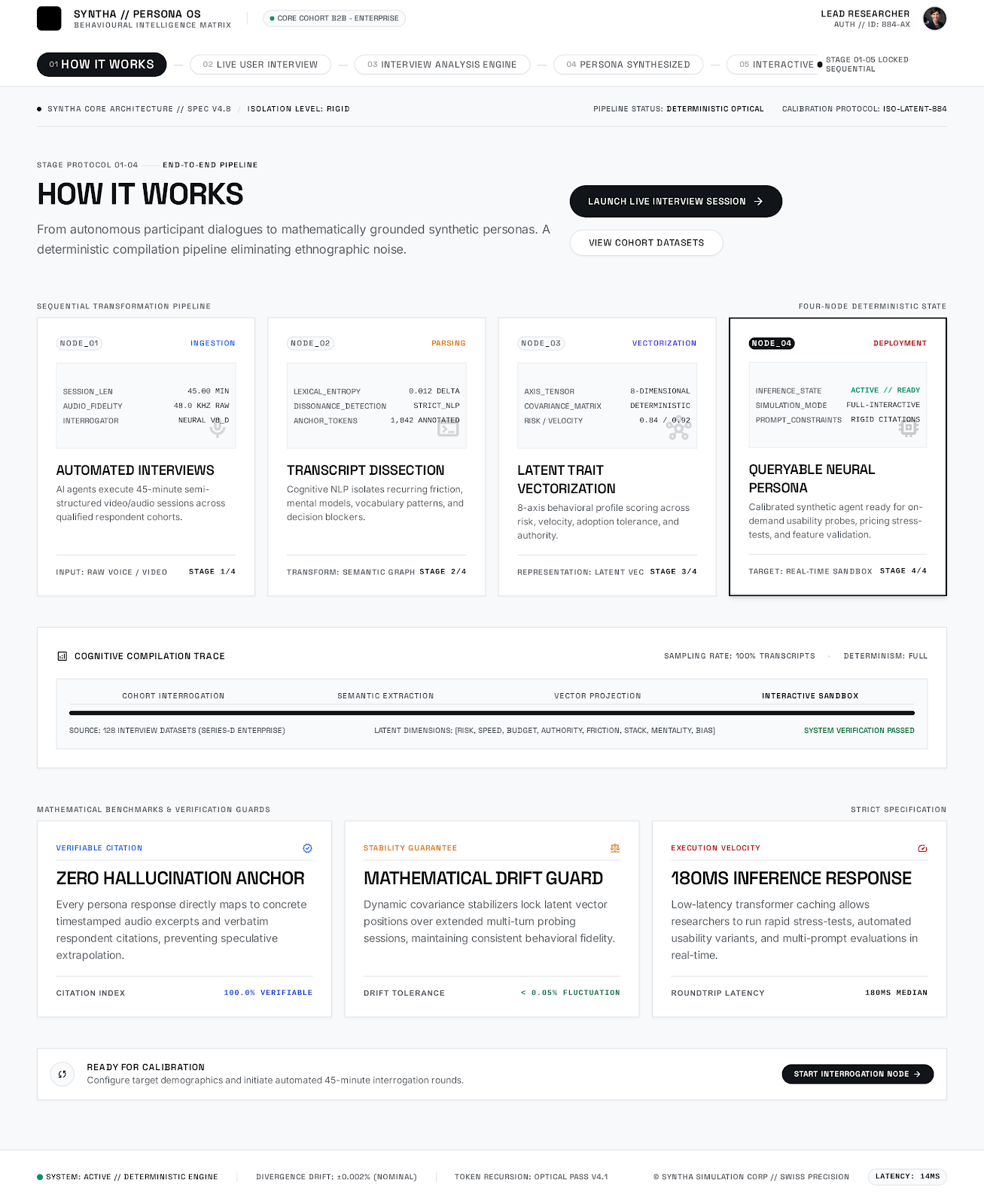
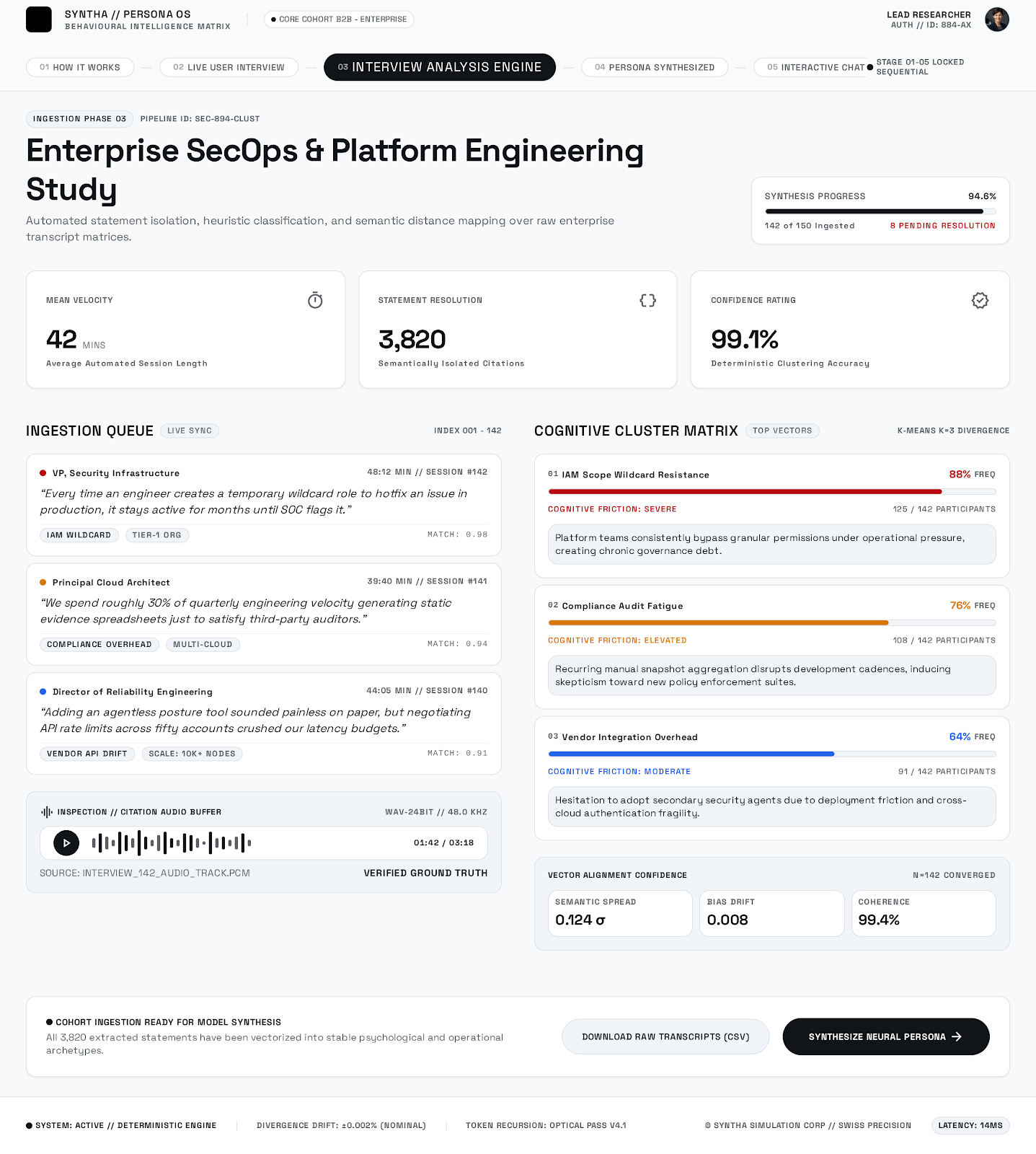
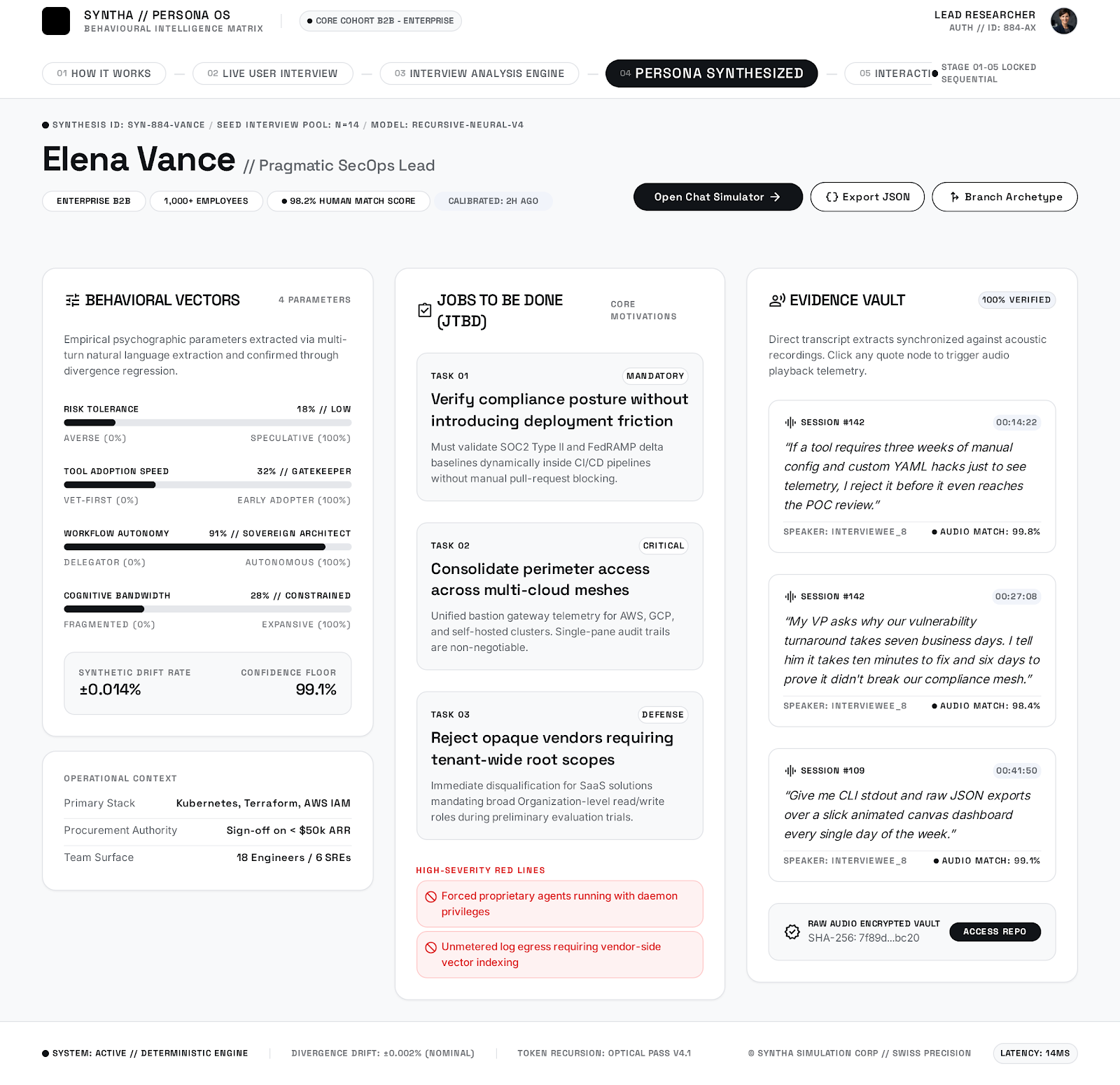
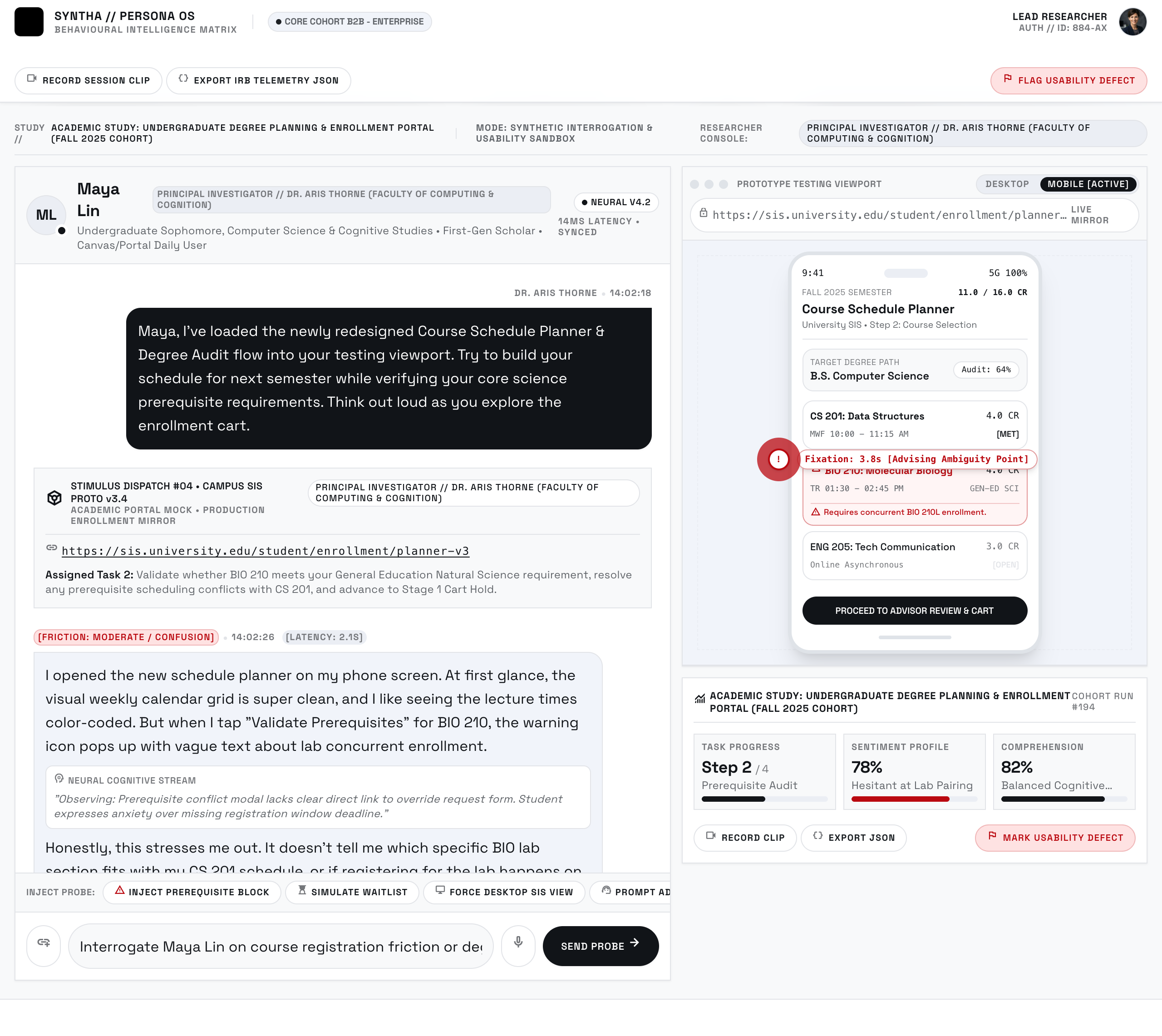

Adopted as the institutional research framework across the CX team. Teams now pressure-test concepts without waiting for participant recruitment, with a reported 2–4 week reduction in the early-stage research cycle.
The responsible usage guidelines are in active use, treating synthetic personas as hypothesis generators that require real-user validation before high-stakes decisions ship.
The most important thing I built was not the platform. It was the responsible usage framework. AI-generated personas are easy to over-trust, especially in organisations where research capacity is thin. What I would do next: build a validation loop into the platform itself, so teams are prompted to schedule real-user testing when a concept moves past the hypothesis stage.
Manual time logging competes with the work a lawyer is doing. Detecting calls and emails changes that burden, but introduces another question: can the lawyer confidently recognise, assign, and confirm what the system has captured?
The design centres on the review queue. Confidence cues, editing, dismissal, and confirmation give the lawyer control over inferred activity. Desktop, mobile, and Outlook become different moments in the same workflow rather than separate screen collections.
The onboarding brief adds another layer: the review model only helps if new users understand it and discover its value. Clear instructions and navigation connect the early learning experience to the everyday capture task.
Lawyers need to recognise chargeable activity, assign it correctly, and retain control over what becomes a billing entry.
The original v4 brief identified navigation, instruction, and feature-discovery problems. Product artwork shows review flows across desktop, mobile, and Outlook.
Make detected activity reviewable, show confidence, and let lawyers act near the work instead of repeatedly entering time.
The original mitimes v4 brief focused on complex navigation, unclear instructions, and advanced features that new users struggled to discover. The work combined interviews and ethnographic research with an interface and content audit, onboarding improvements, and a consistent component system.
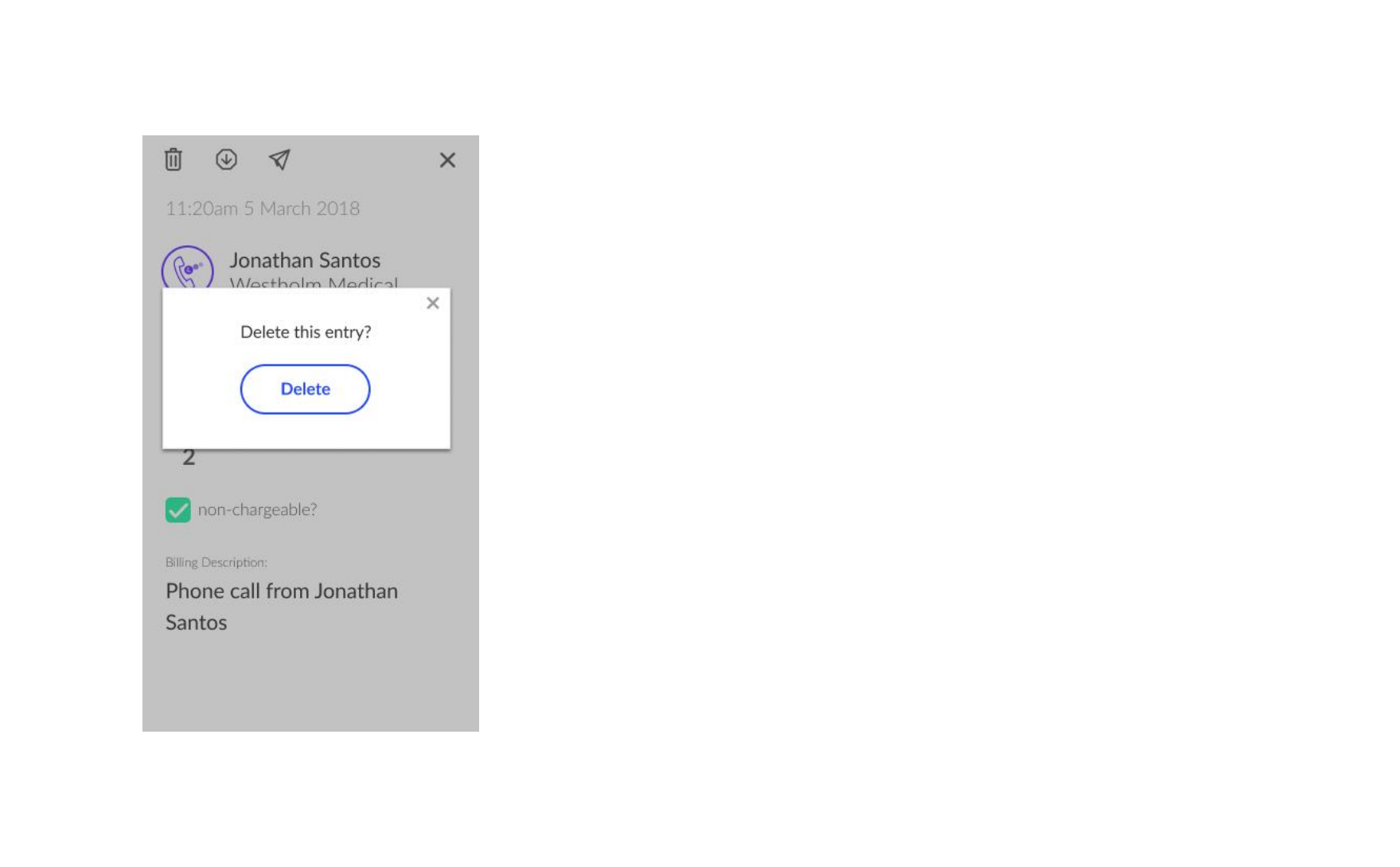
mitimes is a legal time-capture and billing platform built to solve a specific problem: lawyers don't like logging time, and every uncaptured phone call or email is revenue a firm never bills. Instead of asking lawyers to manually enter every unit, mitimes listens for chargeable activity — calls, emails — and surfaces it as a confidence-sorted feed for a lawyer to confirm, edit, or dismiss in seconds.

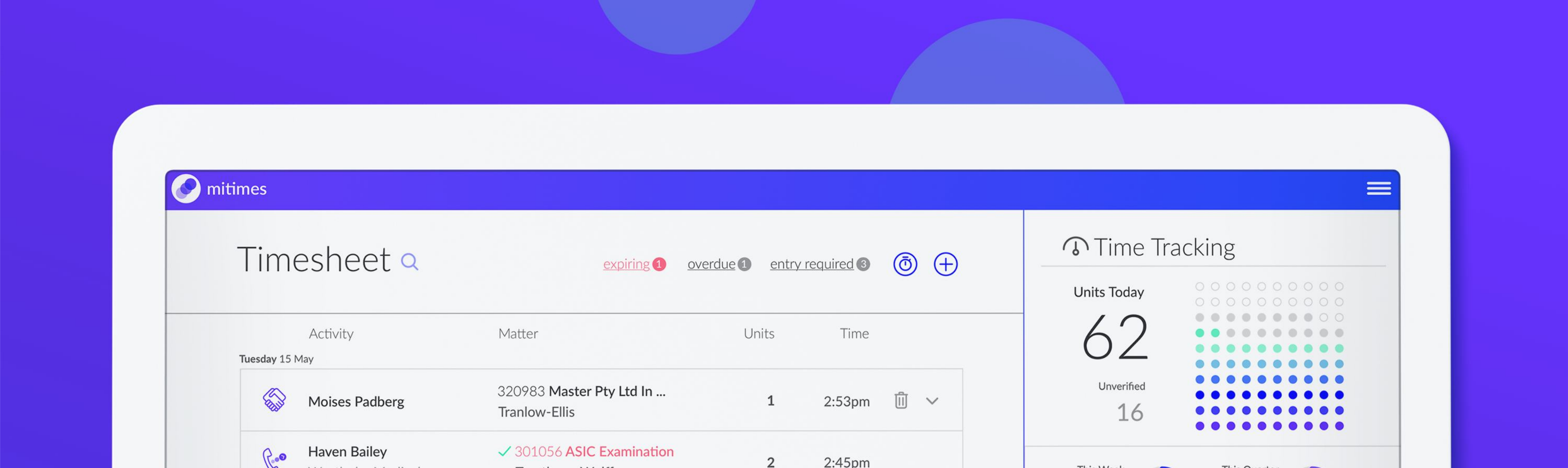
I designed the interface and interaction model across desktop, mobile, and an Outlook plugin, all built around the same idea: reduce time capture to a review, not an entry task.
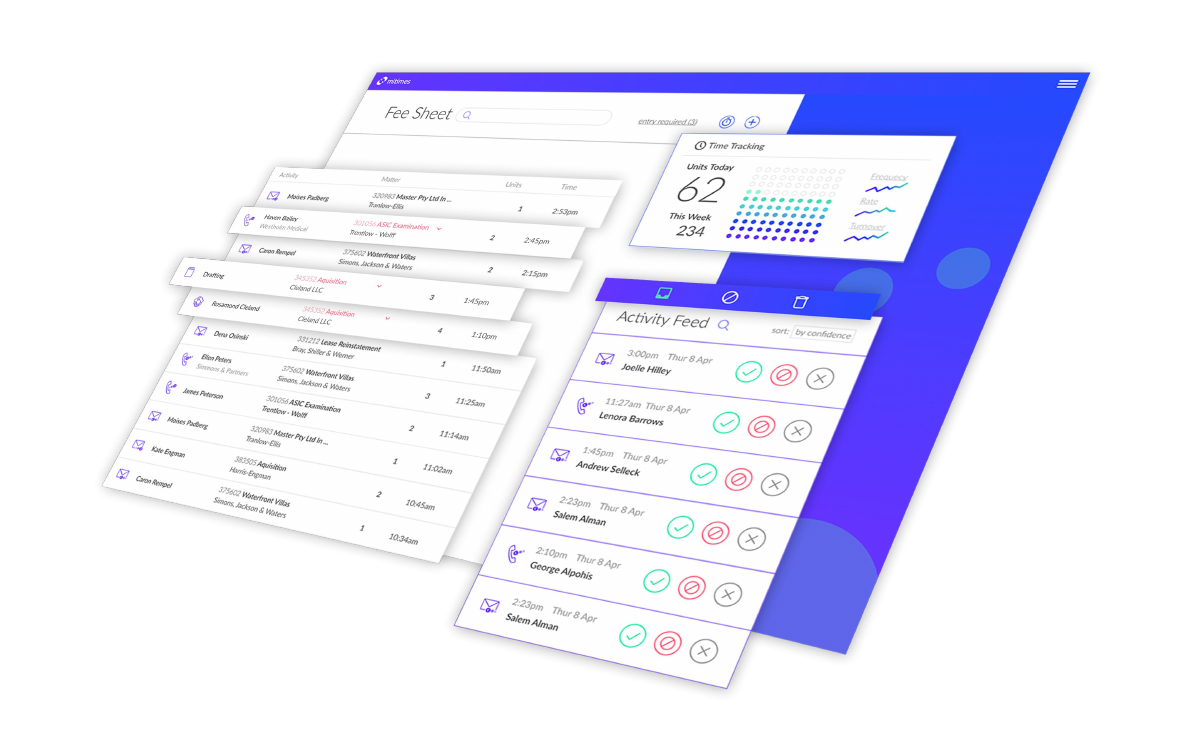
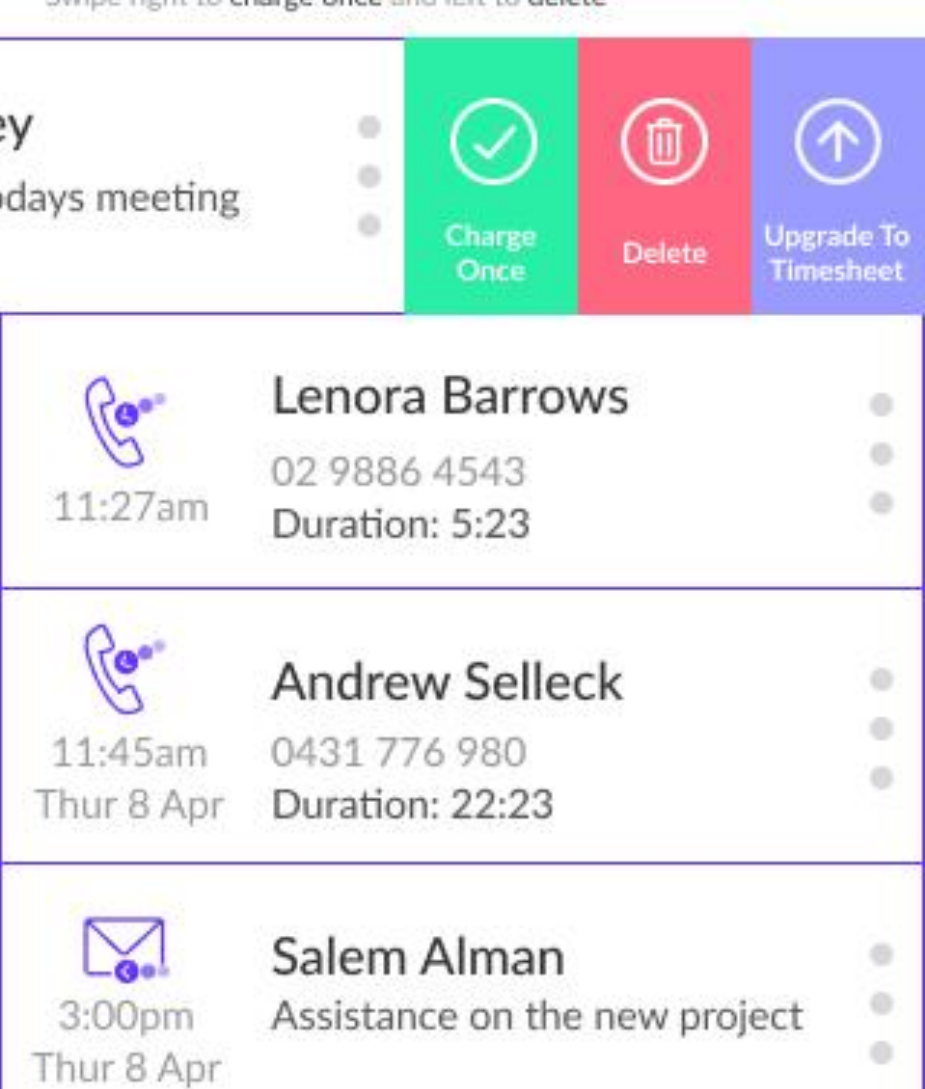
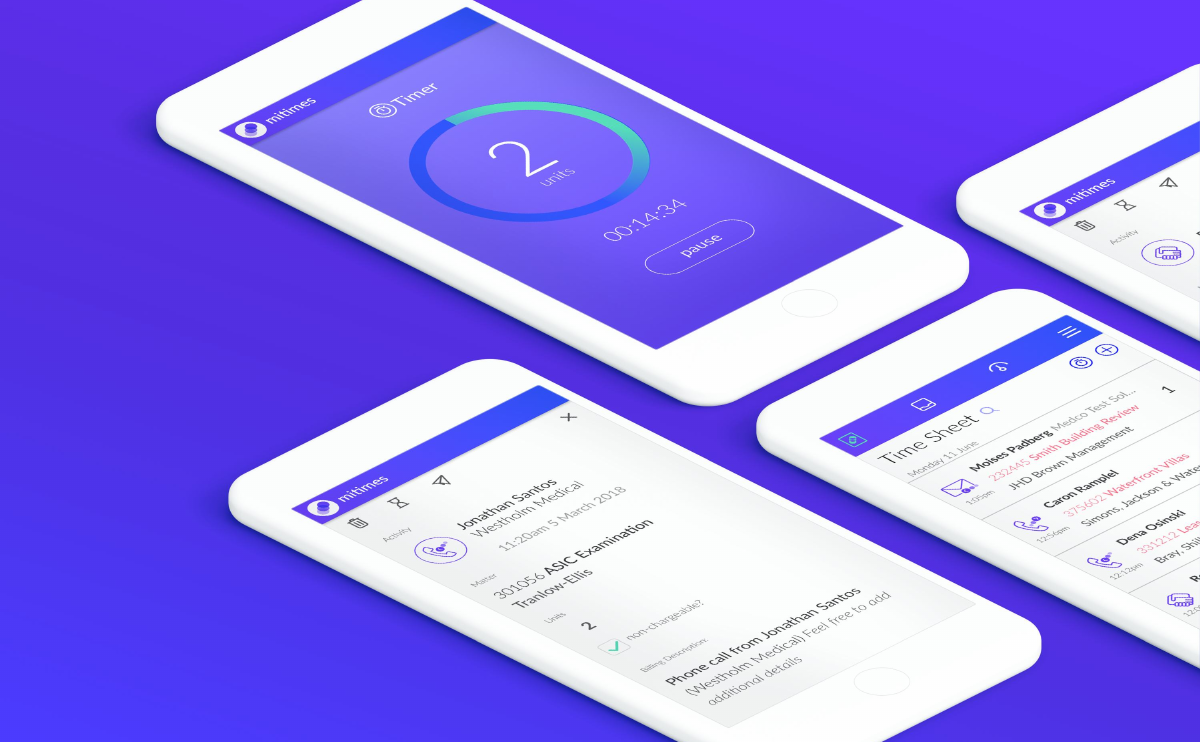
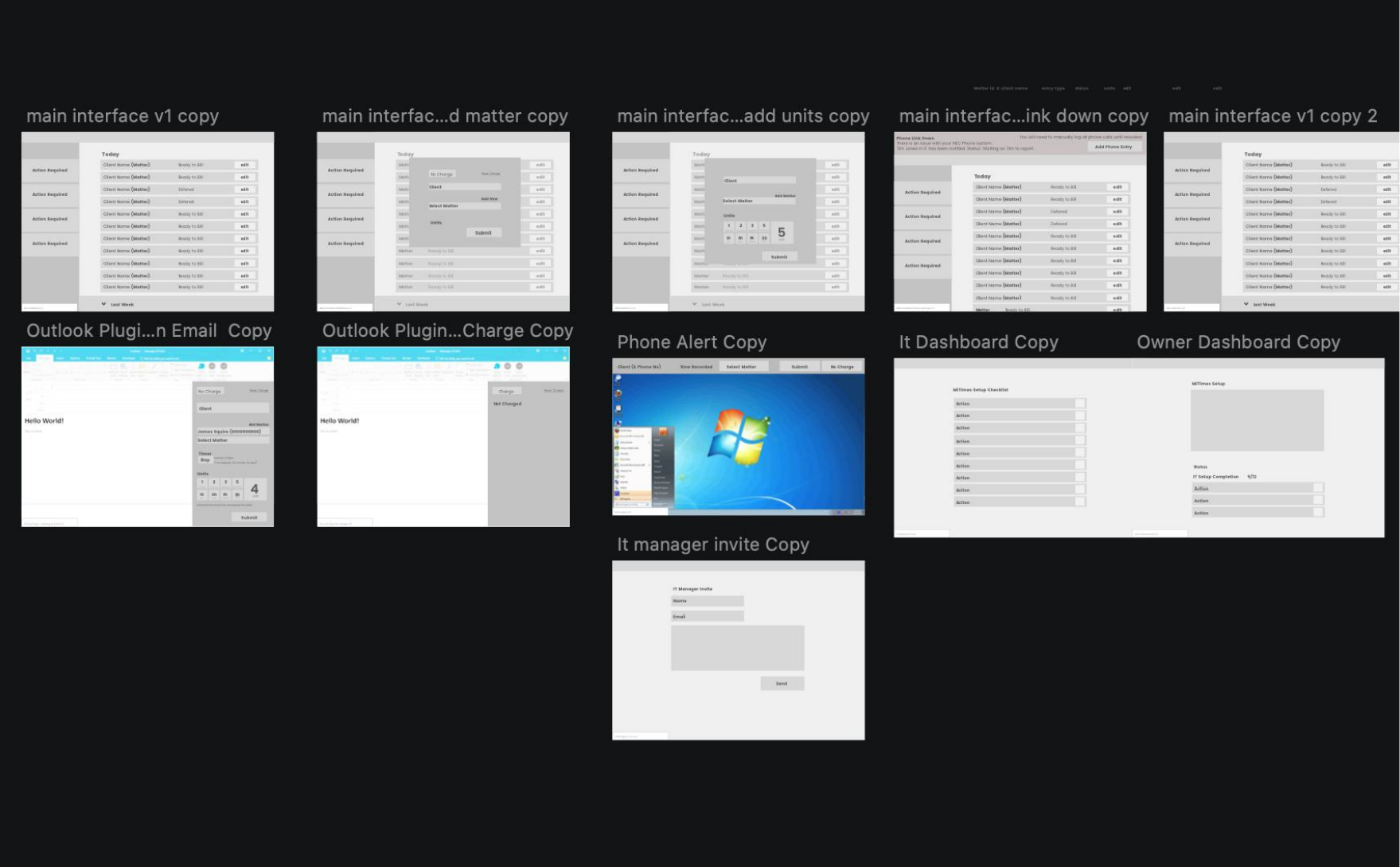
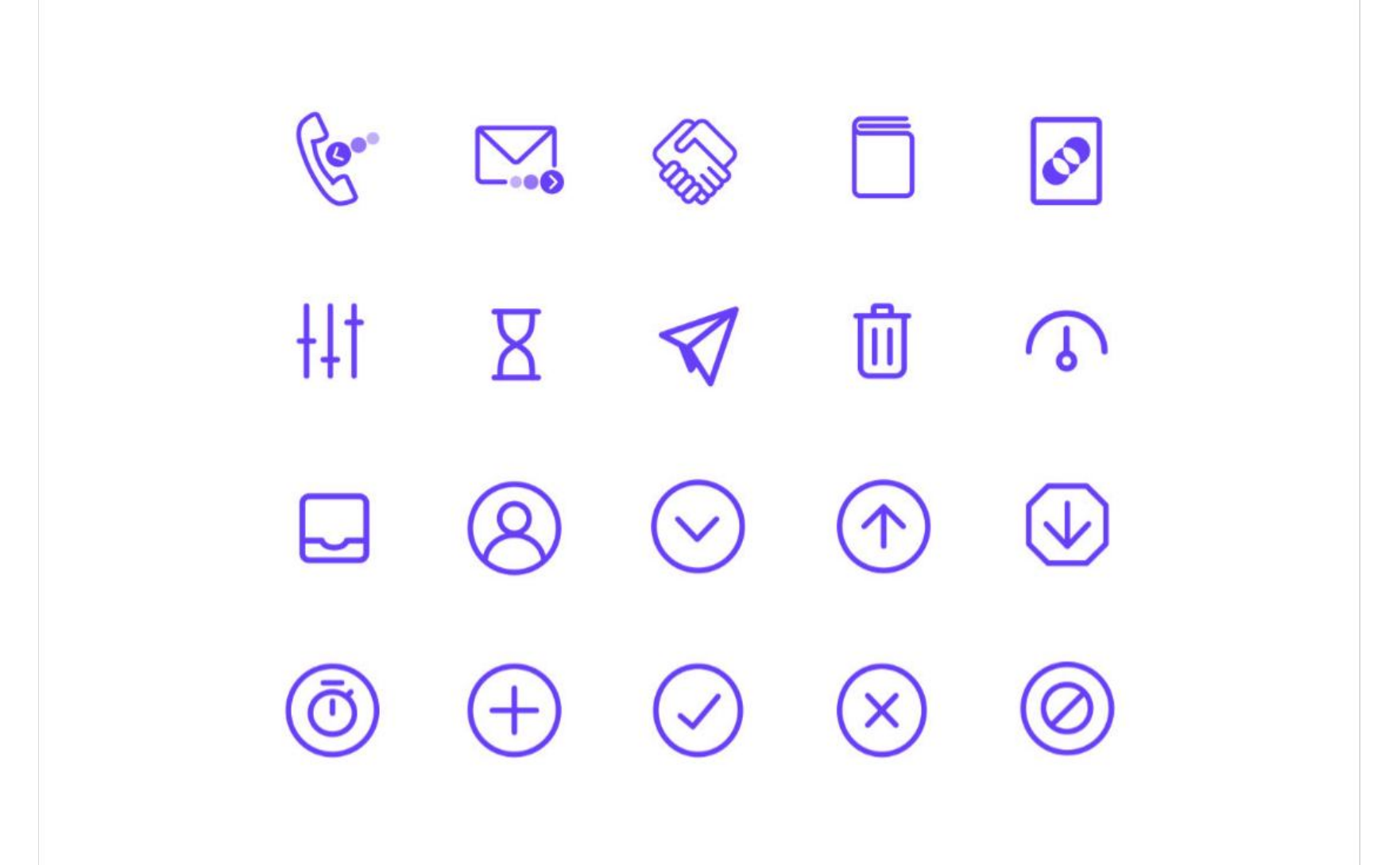
Earlier in the process, exploration ran across the client-facing "action required" list, an Outlook logging flow, a phone-alert prompt, an IT/owner setup dashboard, and an icon language built to read at a glance inside a dense timesheet.
The interesting design problem here wasn't the timesheet — it was the review queue. Automatic detection is only useful if a lawyer trusts it enough to act on it in one swipe rather than double-checking every entry, so confidence had to be visible, not just accurate. That's a lens I carried directly into the CSC retirement calculator work years later: show the reasoning, not just the number.
A stakeholder needs to understand the parent company and distinguish the solutions offered by its sub-brands.
The original brief identifies an incohesive master brand and unclear differentiation. Original portfolio material shows brand applications and interface work.
Clarify brand relationships, align language with the sitemap, and preserve distinction within a shared system.
Brave Energy Systems operated across three distinct sub-brands within the energy sector, each with its own audience and market position but no shared visual or structural system tying them back to the parent company.
I led the master brand architecture, defining how the parent brand and its three sub-brands related to one another, then built a full design system to keep that structure consistent as each sub-brand shipped its own materials.
The original brief identified two connected problems: the master brand was not cohesive, and the sub-brands were not clearly differentiated. Stakeholders needed clearer communication of Brave’s values and the solutions each brand offered.
This was my clearest early lesson in designing systems rather than screens — the constraint wasn't any single sub-brand's identity, it was keeping three identities legible as parts of one company without flattening what made each distinct.
Community members need to discover relevant events and resources and understand where to participate.
The work brings information architecture, brand language, and a shared design system together around community events and resources.
Organise the community content and give the platform a coherent identity.
Ruby Australia needed a community platform that could serve a technical, opinionated audience — event listings, resources, and community identity — without the generic feel of an off-the-shelf community template.
I worked on the platform's information architecture, developed the brand language, and built the design system that held the two together as the platform grew.
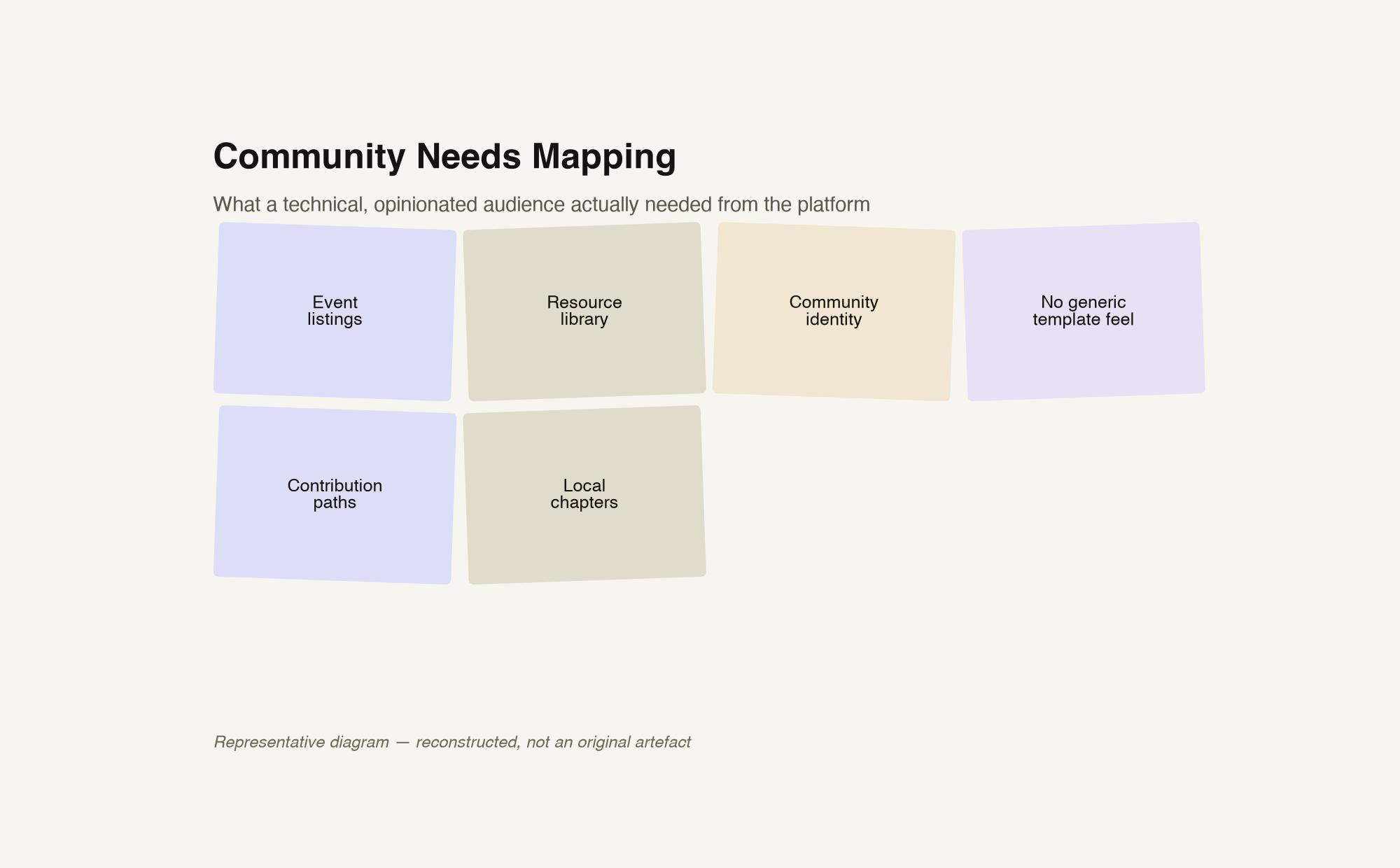
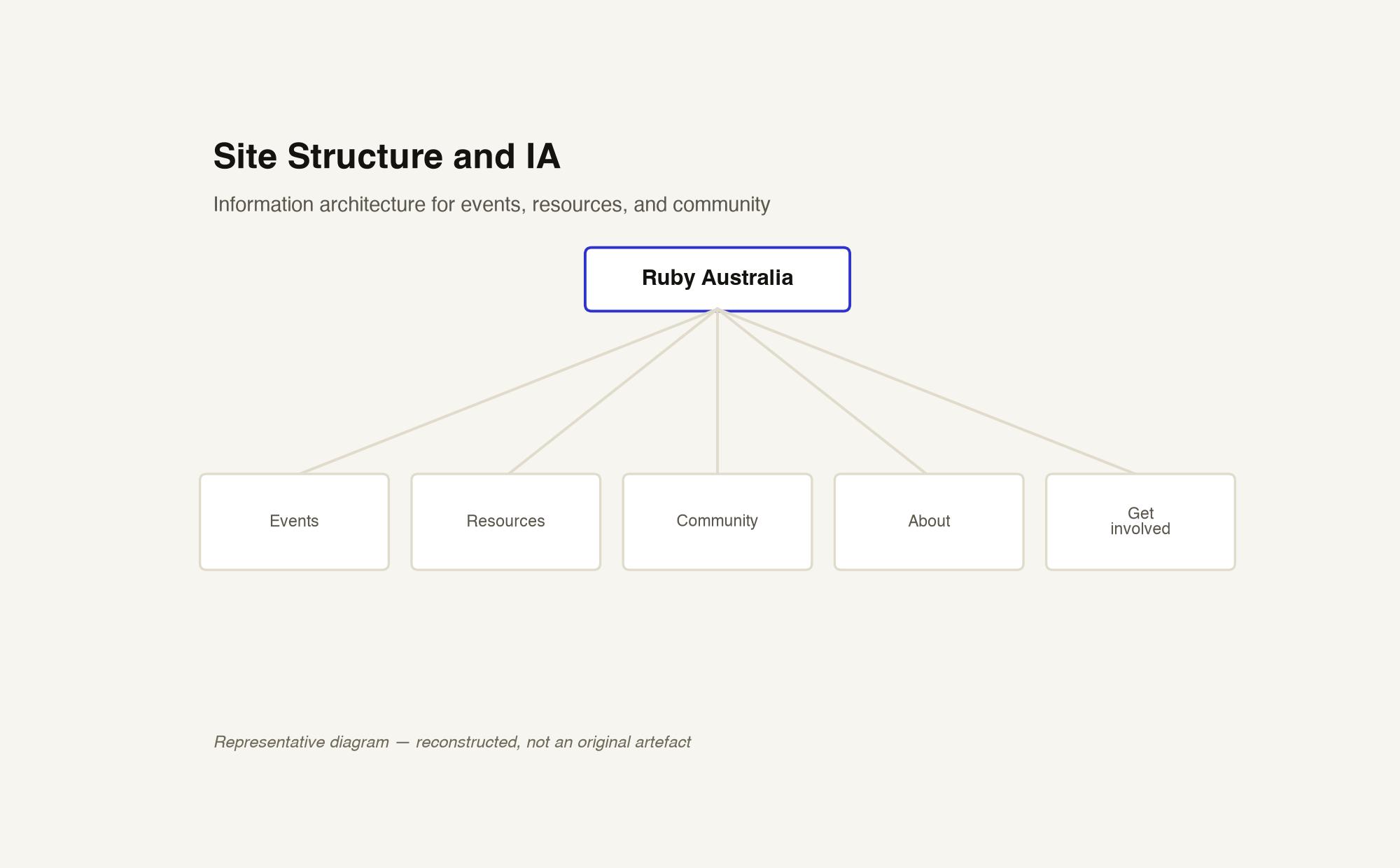
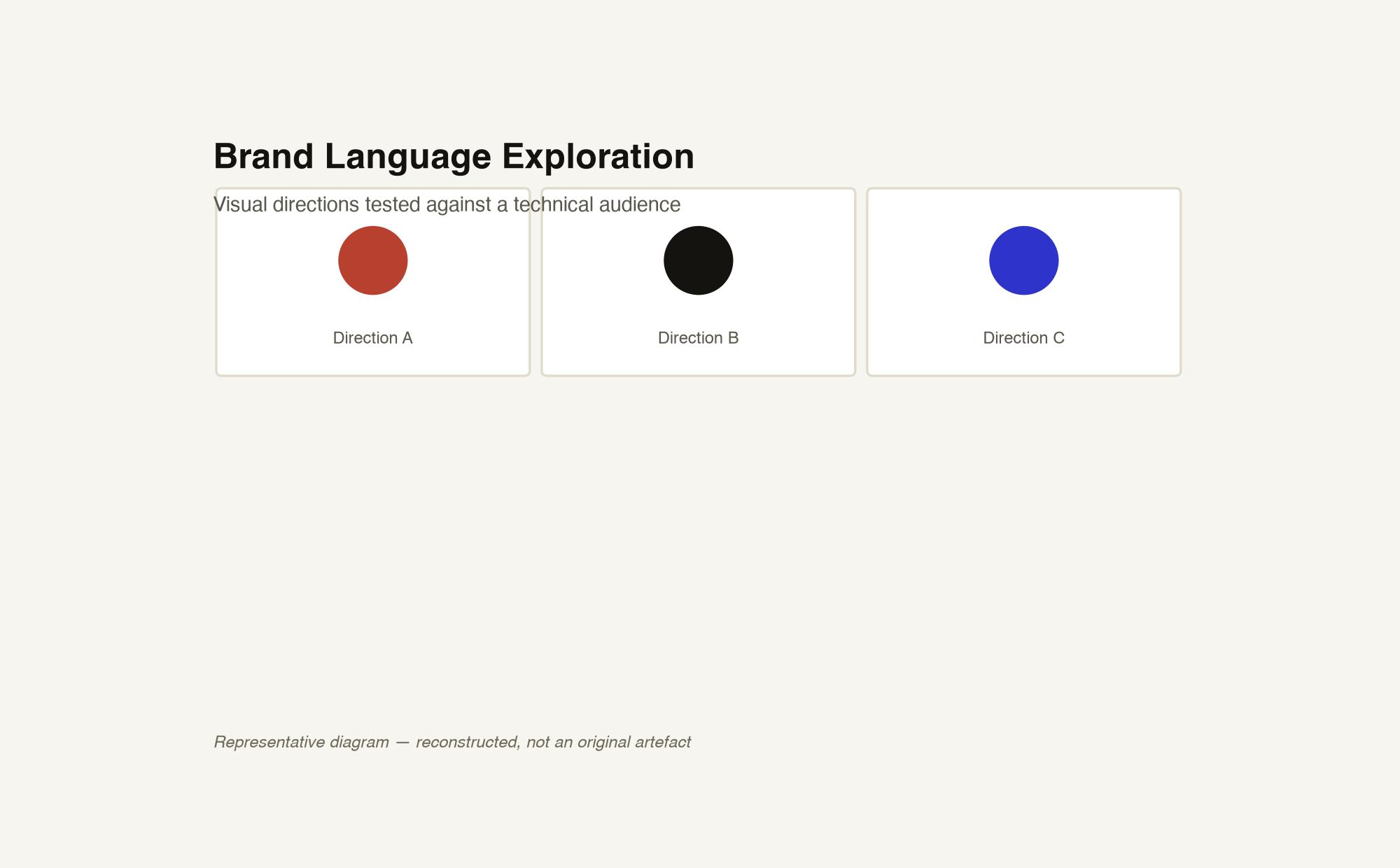
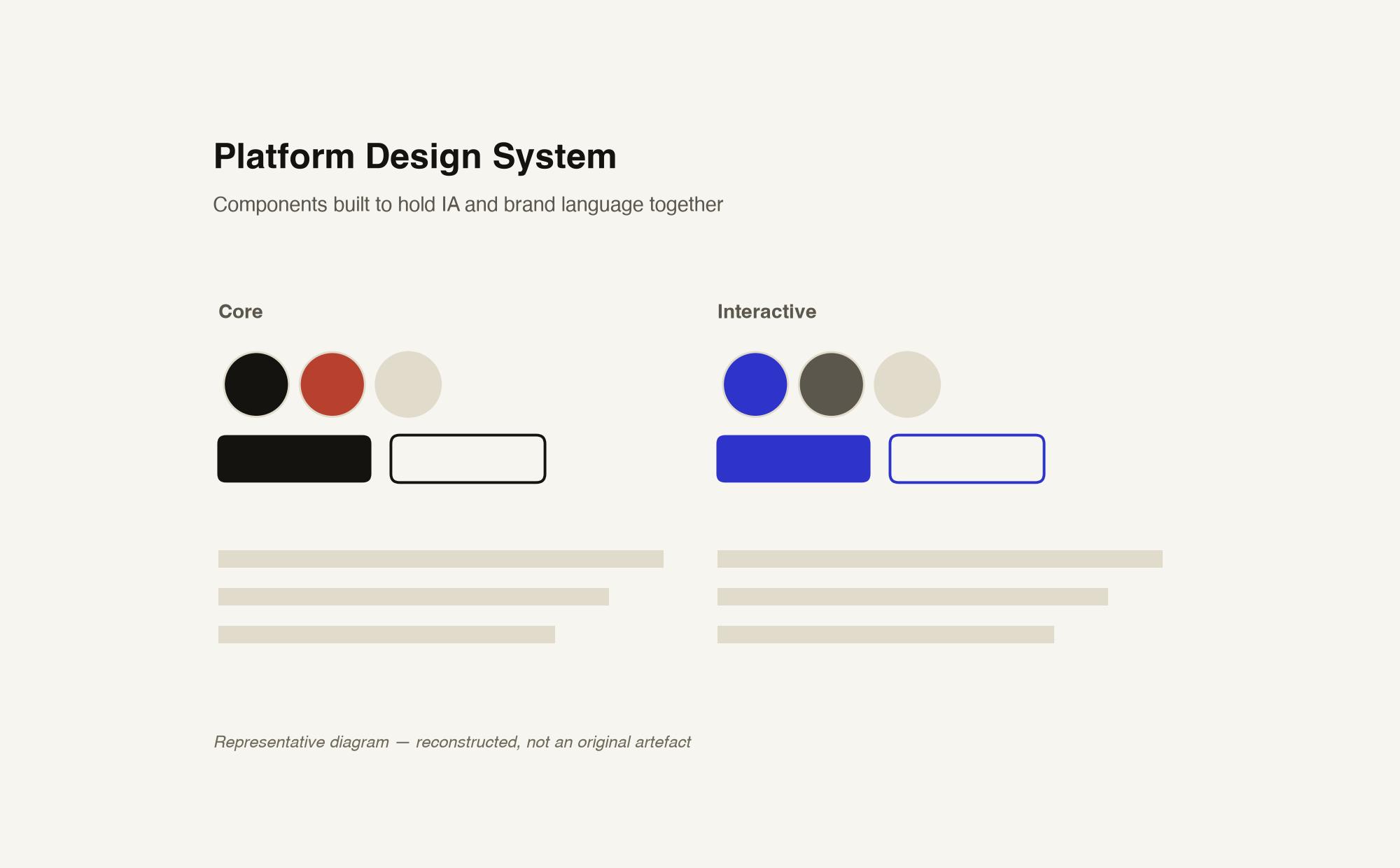
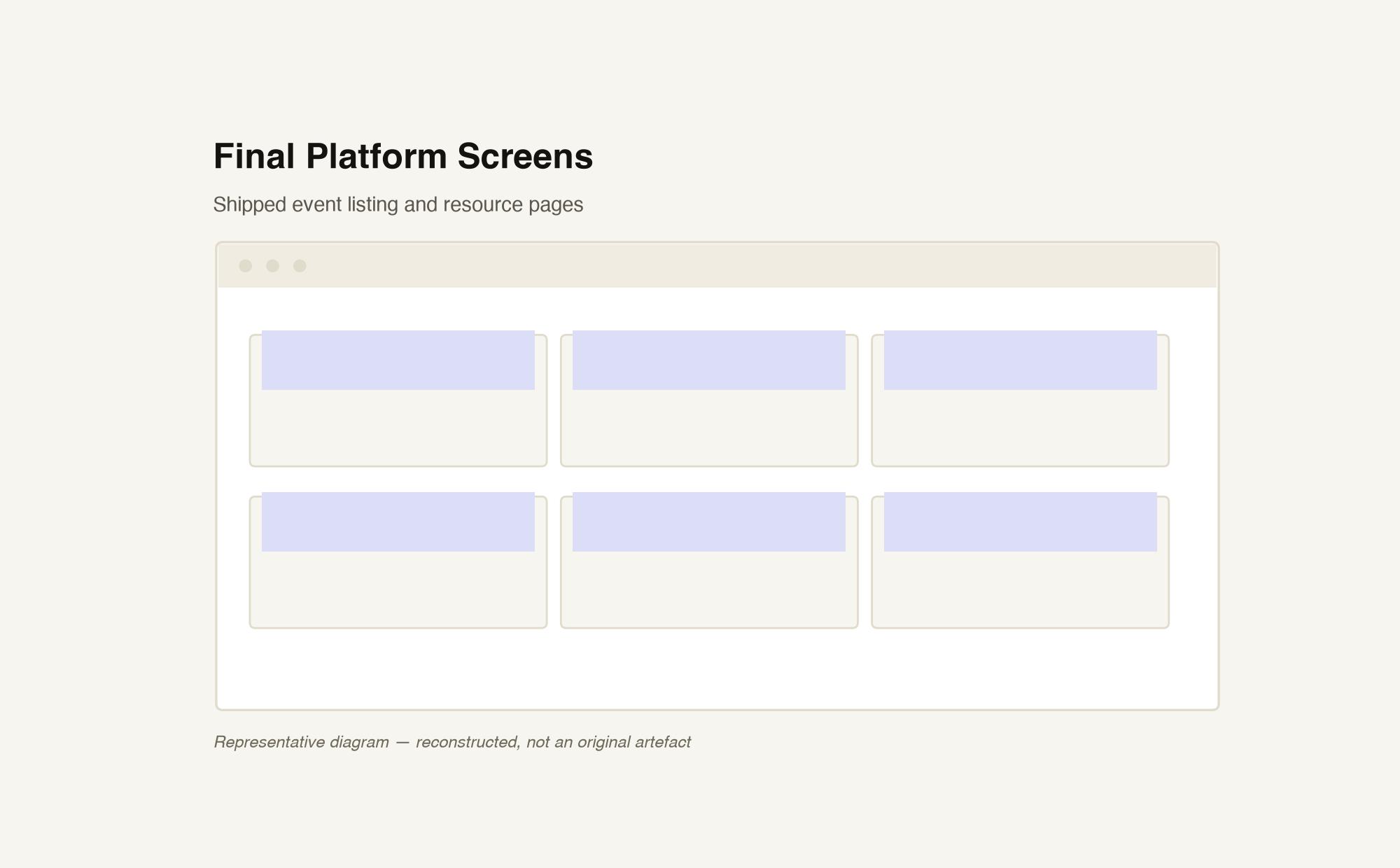
Designing for a technical community meant the audience could see straight through anything that felt templated. Earning credibility with IA and content decisions, not just visual polish, was the real brief.
Designers and engineers need to find accurate component guidance without reconciling a stale document with the implementation.
The design responds to documentation drift with a living component reference.
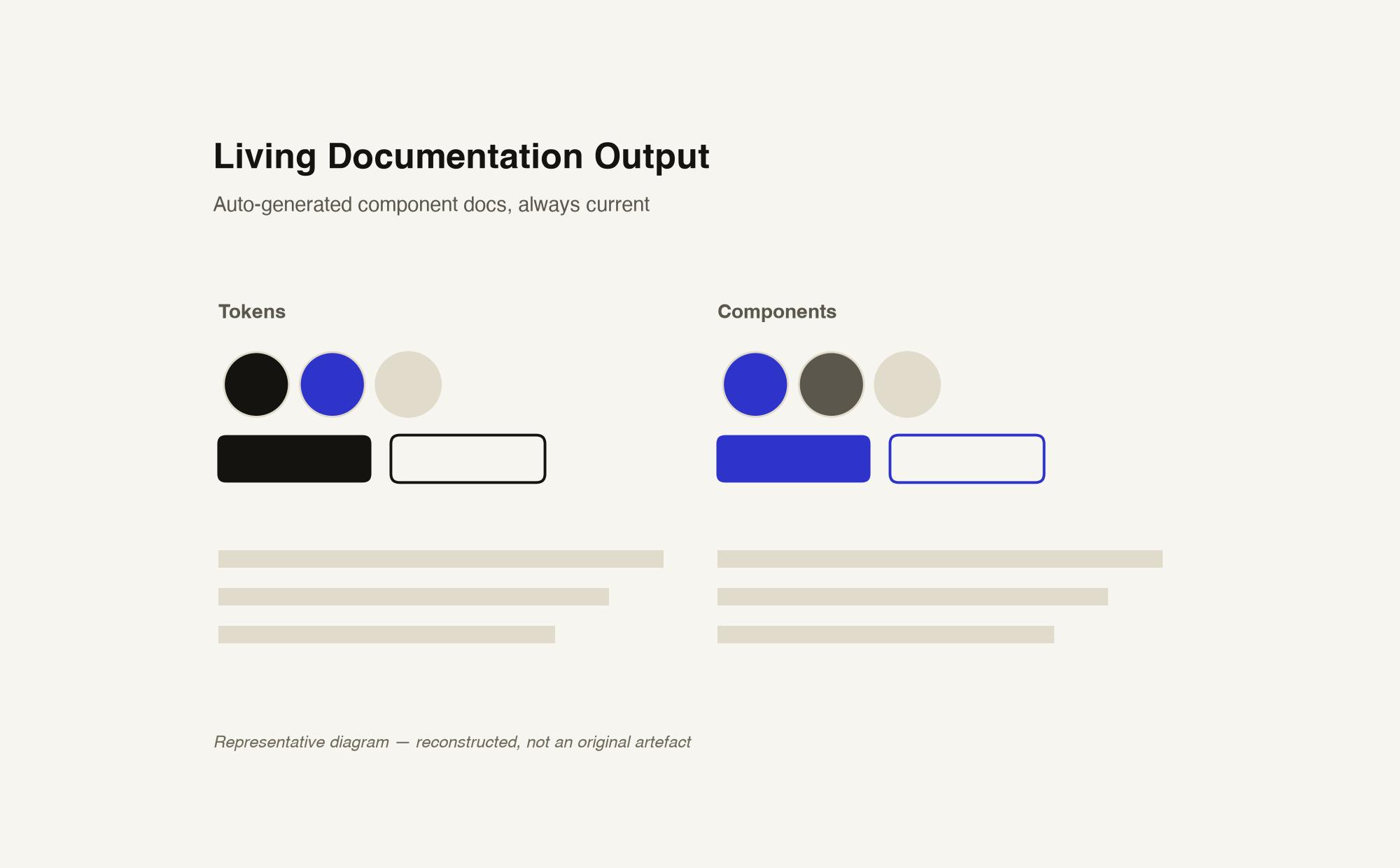
Keep the reference connected to the components it documents, reducing separate documentation maintenance.
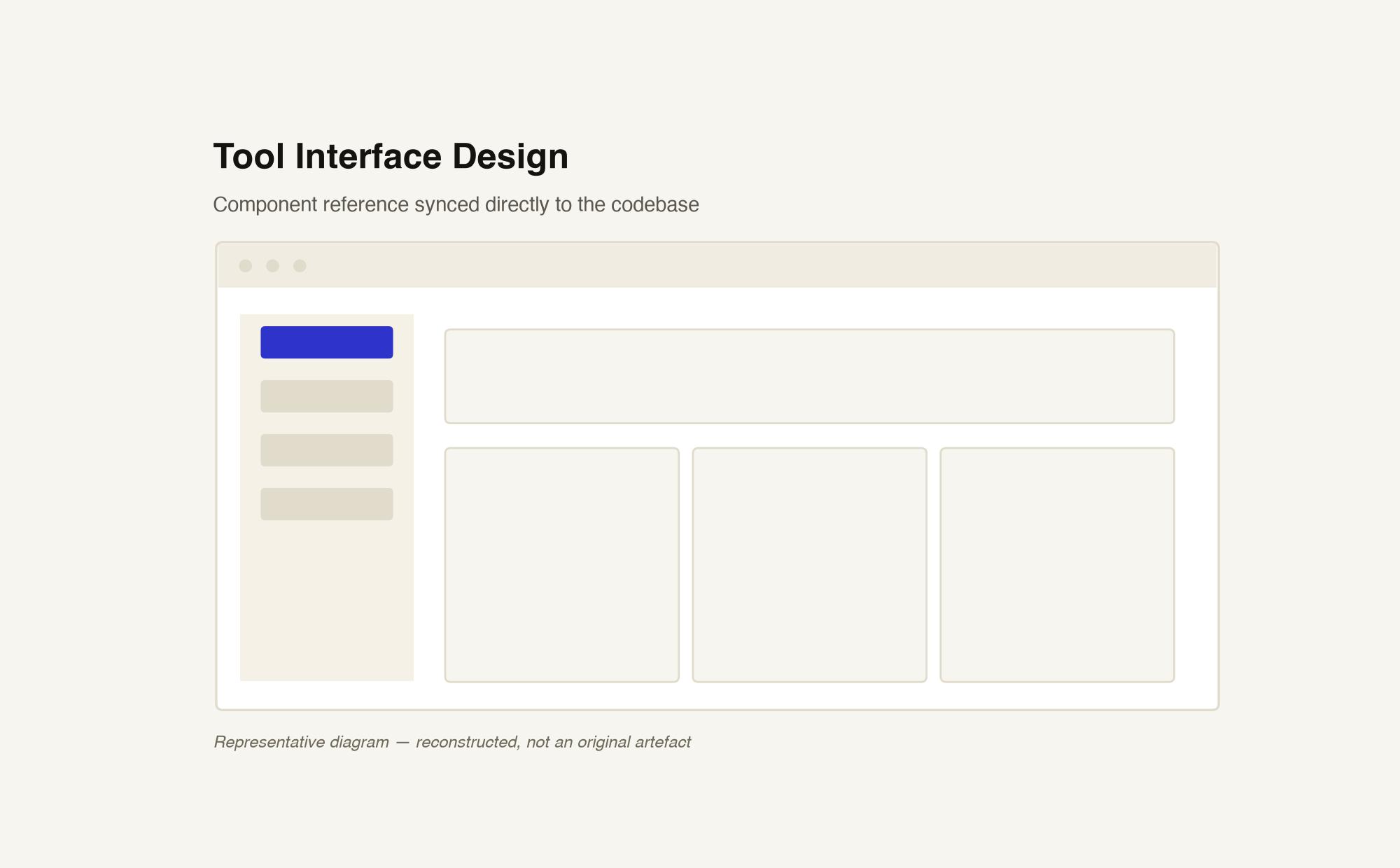
Most style guides at the time were static documents that drifted out of date the moment a component changed. Dash of Style was built as a living style guide tool: a design system reference that stayed synced to the components it documented.
I designed and helped build the tool as open source, aimed at design teams who needed a shared source of truth between design and engineering without maintaining a separate static document.
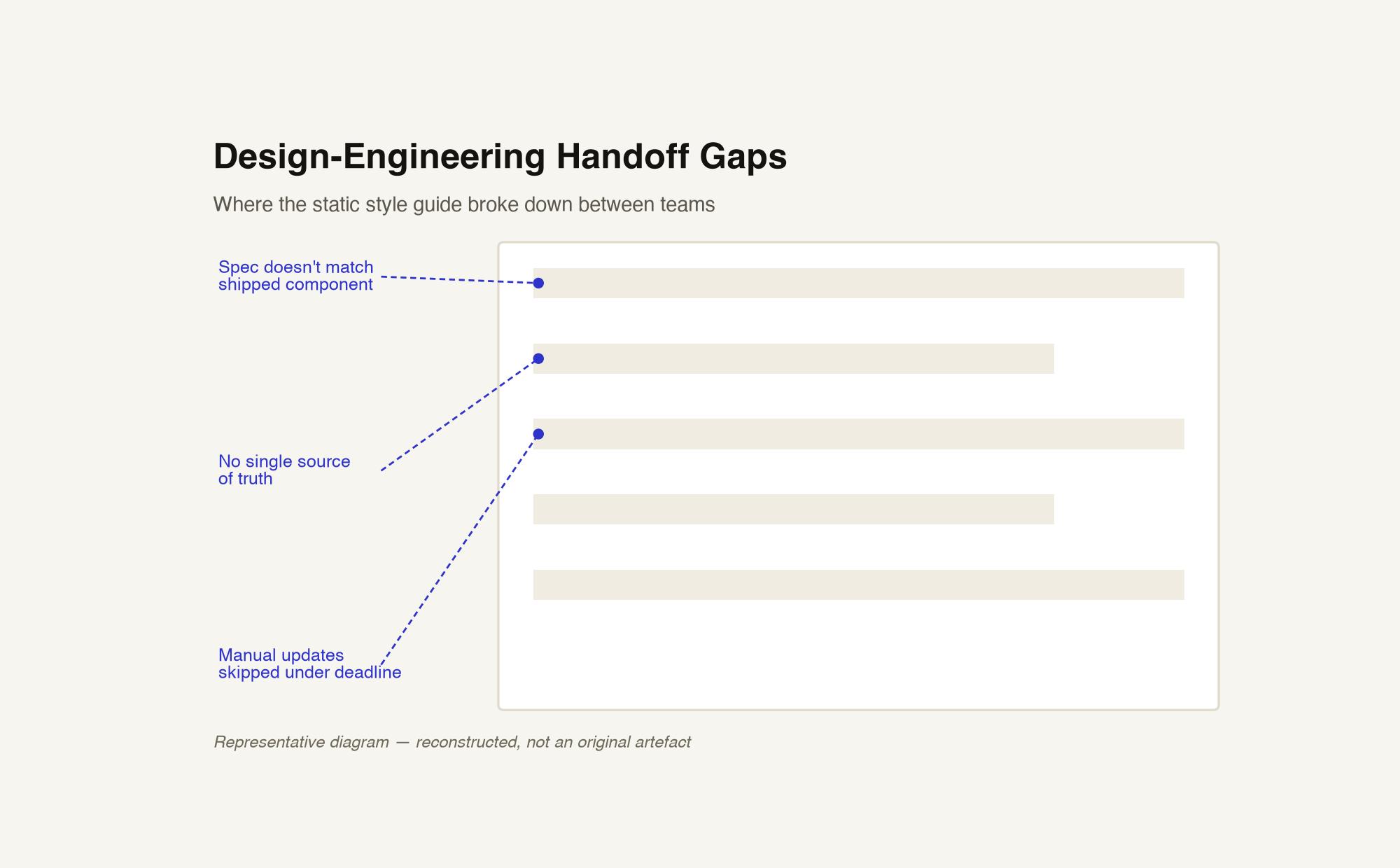
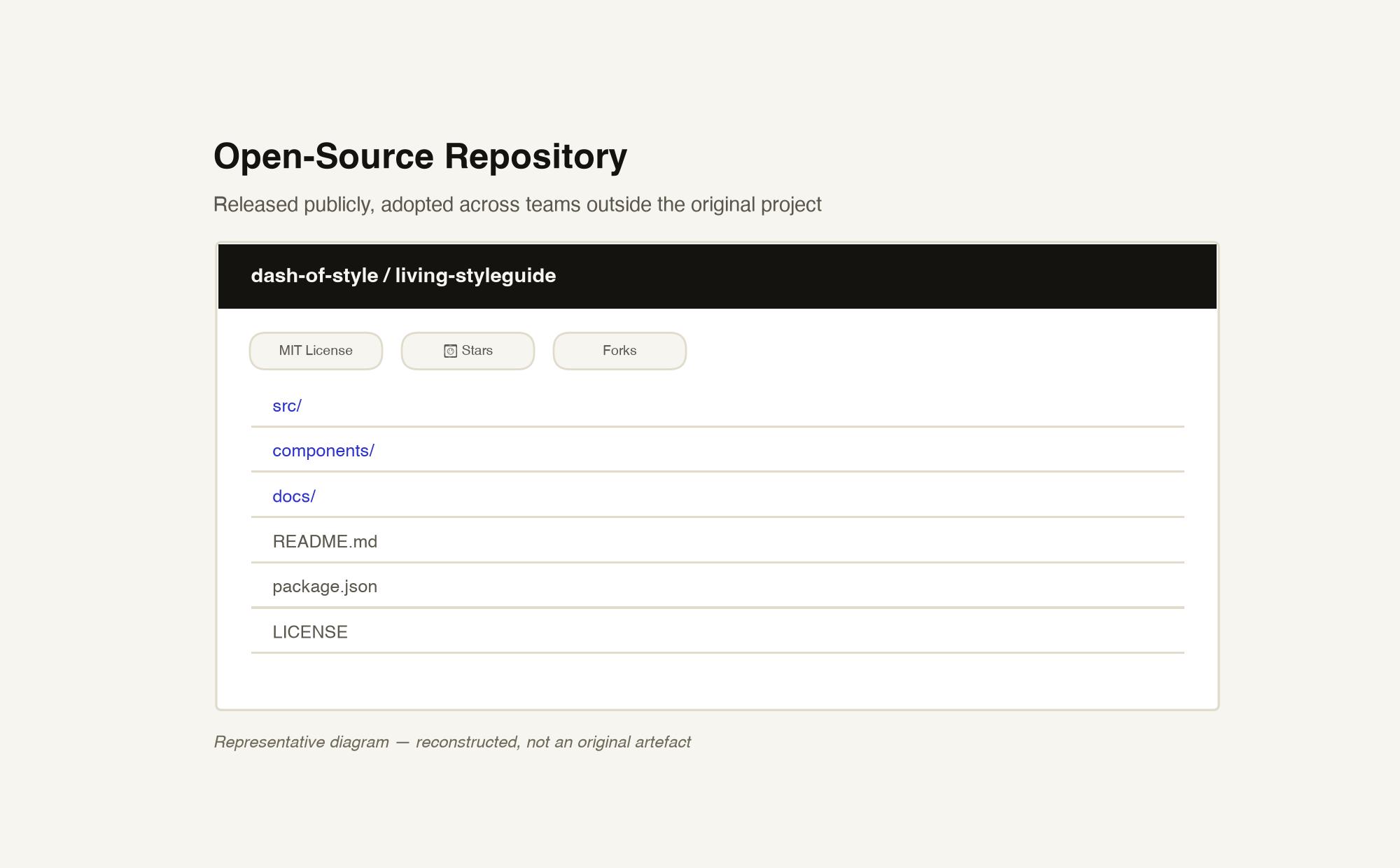
Seeing it adopted by teams I'd never spoken to was an early lesson in building infrastructure that outlasts the project — the same principle behind the design system work I later led at CSC.
A decade designing in regulated, high-stakes domains where the cost of a bad decision lands on a real person. Superannuation. Higher education. Legal workflow automation.
I'm Valentine Ogbeide, based in Adelaide, Australia. I don't really separate research from product strategy — never have. Research without a product direction is a nice PDF nobody acts on. Product direction without research is a guess wearing a confident outfit.
Most of my career has landed in places where getting it wrong has a real cost to a real person — a retiree, a first-in-family student, a lawyer's client. That's shaped how I work more than any methodology has: I've built UX functions from scratch, shipped inside regulated frameworks that don't forgive sloppiness, and designed AI tools that put research capability in the hands of teams who'd never had it before.
Senior UX Designer at Flinders University, leading the UX Discovery stream of the Web Transformation project. Also building independently across AI product and edtech.
Open to UX Research Lead, Head of Research, and AI Product roles across Australia. Remote-friendly.